
Tembo Changelog
The latest updates, improvements, and new features in Tembo. Updated weekly.
Session Search Qualifiers, Transcript Export, and Verified Commits
#Tembo is now 2x faster
The Tembo app is now twice as fast, so everything you do in it feels snappier.
#Stacked pull requests
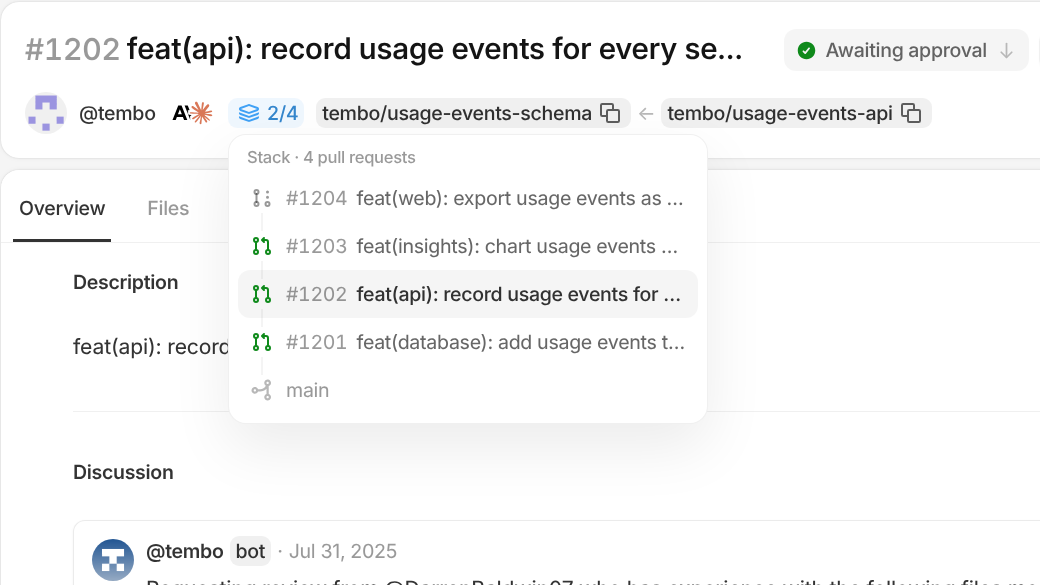
Tembo now recognizes stacked pull requests, where one pull request builds on another's branch. In Review, every pull request in a stack shows where it sits, like 2/4, so you can review them in order.
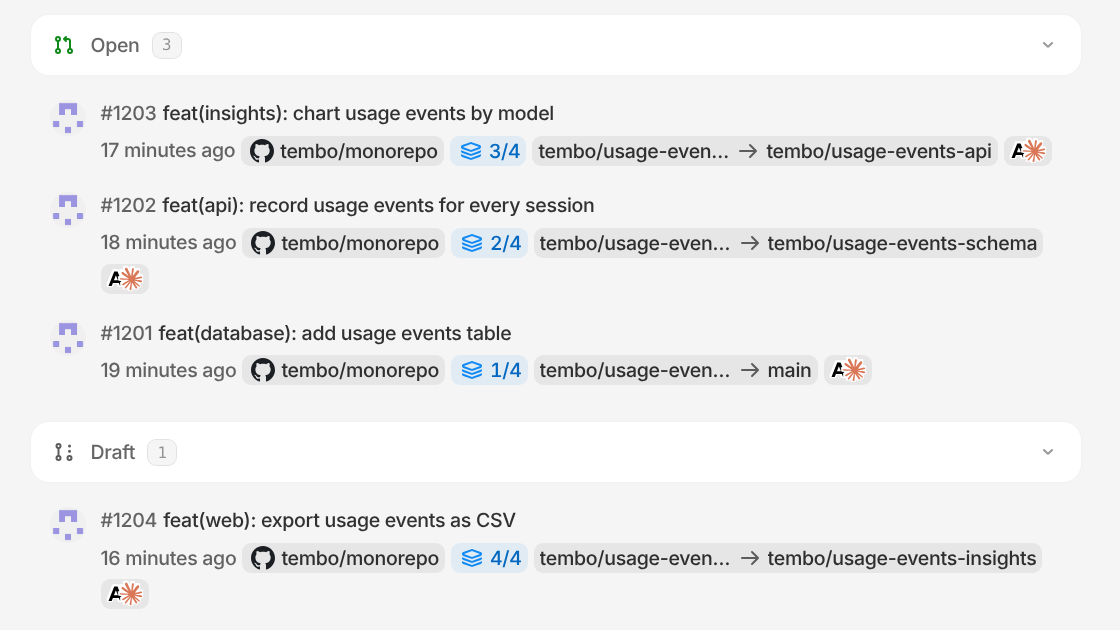
On a pull request, click its stack position in the header to see the whole stack from the base branch up and jump to any other pull request in it. The stack also appears in the side panel. Stacks work across GitHub, GitLab, and Bitbucket.
#Find any session with search qualifiers
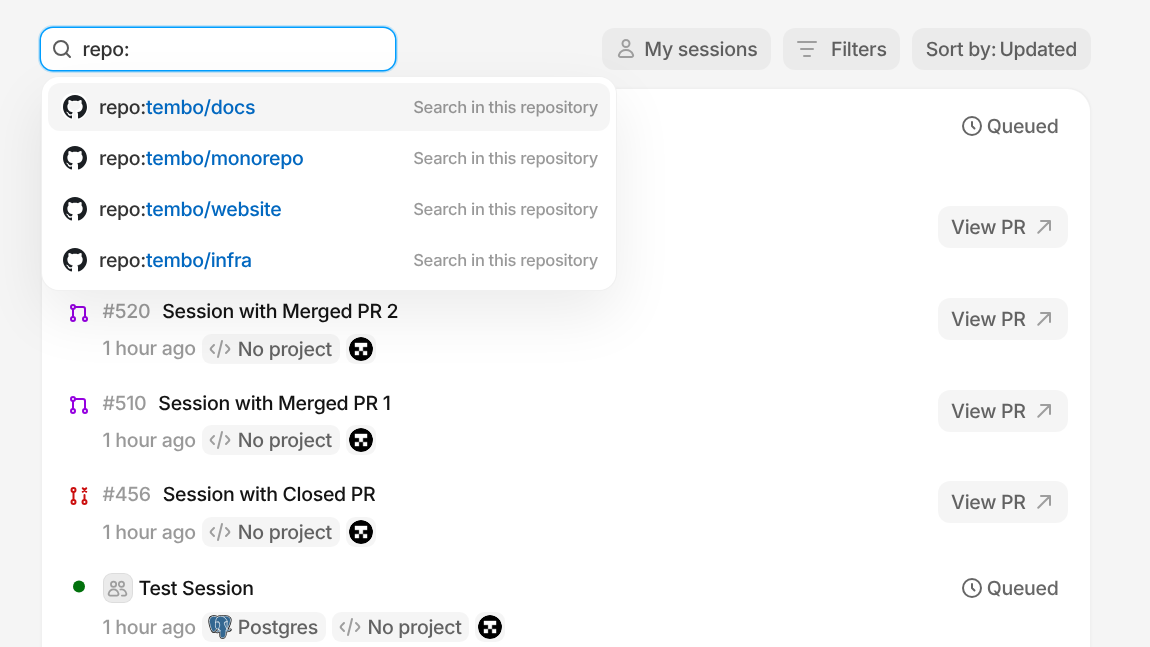
Session search now understands GitHub-style qualifiers. Type repo: or pr: to find sessions by repository or pull request number, or use status:, source:, project:, created-by:, agent:, and state: to narrow things down. Search suggests matching values as you type, and it works on the Sessions page and in the sidebar.
#Export a session transcript
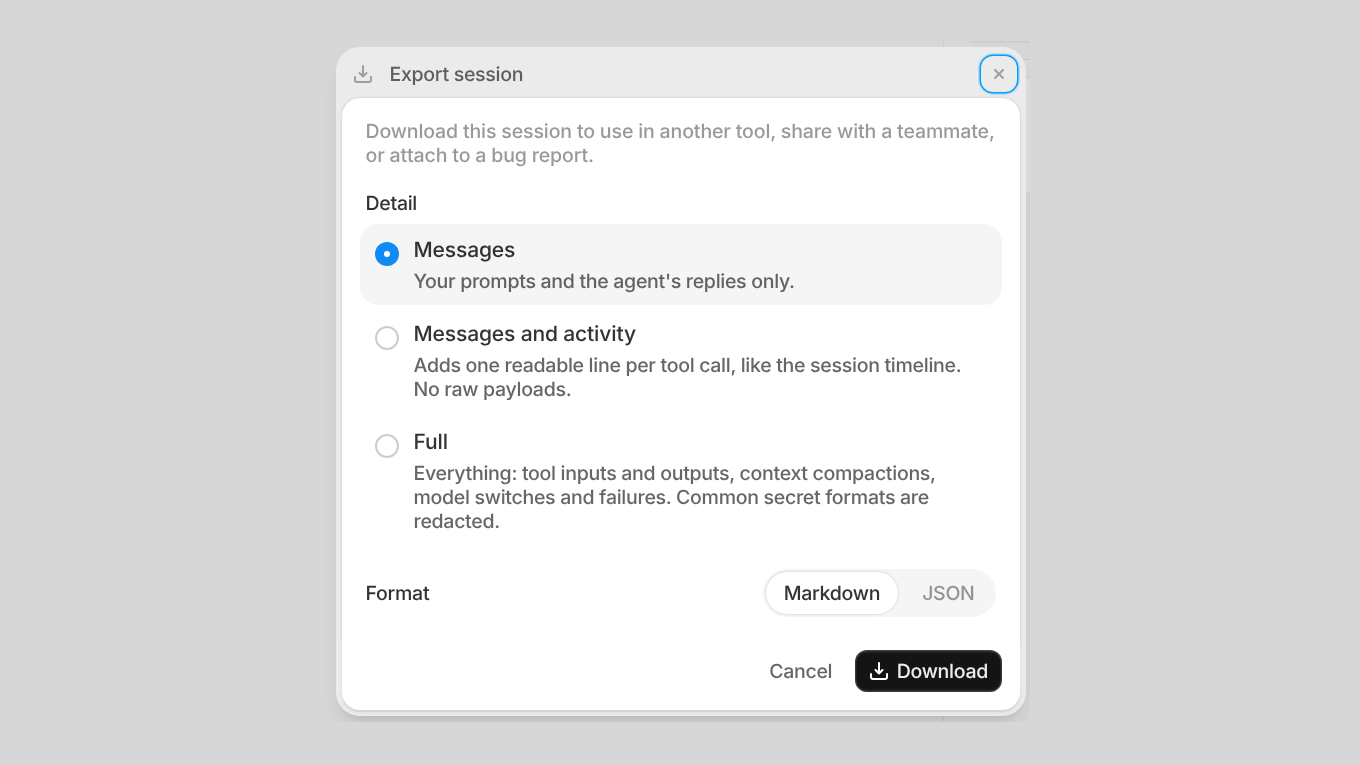
Pick Export from the session menu to download a session as Markdown or JSON. Choose just the messages, the messages with agent activity, or the full record with every tool call. Common secret formats are removed before the file is saved, so it's safe to share.
#Verified commits as you
When your GitHub account is connected, Tembo now creates verified commits as you instead of the Tembo app. Commits show your name and the Verified badge on GitHub, so your history looks the same as if you had pushed them yourself.
#Filter your usage history
The session list in Settings > Usage now has date, model, and creator filters. Pick today, the last 7, 30, or 90 days, or a custom range, then narrow it to one model or one teammate to see where your usage is going.
#Token usage by model provider
Insights has a new Model Provider card showing how many tokens each provider used in the selected time range, next to the existing top models view.
#A smoother Computer preview, now with your microphone
The Computer preview runs on a new streaming engine with smoother scrolling, touch support, and keyboard lock. You can also talk to apps on the desktop: your microphone now works as the input device inside the preview.
#See what kind of code changed in a review
The pull request header now breaks the diff stats down by code, tests, docs, mocks, and generated files like lockfiles, so you can tell at a glance how much of a change really needs review.
#More ways to work faster
- Sessions in the sidebar show how many of their pull requests are draft, open, merged, and closed.
- Tables in agent replies have a copy button.
- Start a Slack message with a slash command like
/investigateto have Tembo run that skill. - Context.dev is now a suggested MCP server. Connect it to let your agents search, scrape, and crawl the web.
- Code blocks in agent replies have sharper syntax highlighting.
- Opening a preview link for a teammate's private session now tells you who to ask to make it visible.
- The sidebar stays open while you're viewing a pinned review.
Also various bug fixes and improvements as always :)
Jira Comment Triggers, Expiring API Keys, and Signed-In Previews
#Start agents from Jira comments
The new Comment Added to Issue trigger for Jira starts your agent whenever someone comments on an issue. Filter by project, by who left the comment, by words in the comment, or by issue labels, so your agent only picks up the conversations that need it.
#API keys that expire
When you create an API key you can now pick how long it lasts: 7, 30, 60, or 90 days, 1 year, or no expiration. New keys default to 90 days. The API keys list has a new Expires column, and expired keys are clearly marked and stop working automatically.
#Preview links now require sign-in
Computer and service preview URLs are now protected. Anyone who opens a preview link signs in with Tembo first, and only people with access to the session can see it. Share previews with your team without exposing them to the public.
#Zoom in on recent activity in Insights
Insights now has 1 day, 1 week, and 30 day time ranges. Check how your agents did today or this week without scrolling through a full year of data.
#More ways to work faster
- Duplicate a project from its settings menu to start a new project with the same setup.
- Click an image attachment in the composer or a conversation to open a larger preview.
- Pick an agent's project and sandbox size from one dropdown when setting it up.
- Slack now shows that Tembo is working as soon as you tag it, so you know your request was picked up.
- Pins are now in the public API and MCP. List, add, reorder, and remove pinned sessions, pull requests, and projects from your own tools.
- Railway is now a suggested MCP server. Find it in the integration picker to connect your agents to your Railway projects.
- New workspaces get a default project as soon as you pick your repositories during onboarding, so you can start your first session right away.
Also various bug fixes and improvements as always :)
Agent Instruction History, Browser Notifications, and Claude Haiku 5.5
#Experiment with agent instructions, without losing what worked
Your agents now keep a history of their saved instructions. Open View history from an agent's menu to see previous versions, who saved them, and when. Preview an earlier version and restore it when you want to return to a setup that worked well.
#Stay in the loop from your browser
Notifications are no longer desktop-app only. Enable browser notifications in Settings > Notifications to hear when an agent needs your approval, a pull request opens, or a review is requested. Allow notifications for Tembo in a supported browser, choose which alerts you want, and click an alert to jump back to the work.
#Claude Haiku 5.5 is here
Claude Haiku 5.5 is now available in the model selector for compatible agent runtimes. Choose it when starting a session to try the newest Haiku model on your next piece of work.
#Keep merge request follow-ups in one conversation
GitLab merge request opened and updated triggers now keep the same agent's work in one session. Follow-up updates continue with the existing context rather than starting a fresh conversation. GitHub's ready-for-review trigger also continues the agent's existing session when a draft pull request is ready for review.
#More control over your agents and integrations
- Cursor sessions now support steering while the agent is working, so you can send new direction without stopping the current turn.
- Jira label-added triggers can now be filtered by project and team, so your agents respond only to the issues that matter to them.
- Usage history now shows the model used for each session and lets you search by model name, making it easier to understand your usage.
- Vercel and Cloudflare are now suggested MCP servers. Find them in the integration picker to connect your agents to your deployment and infrastructure tools.
Also various bug fixes and improvements as always :)
Session Forking, Claude Subscriptions, and New Models
#Try a different direction with session forking
Explore another approach without disturbing your original work. Choose Fork session from a session's menu to create a separate session with its conversation context and a snapshot of the workspace. Pick up from that starting point instead of explaining everything again.
#Bring your Claude subscription, or share one with your workspace
Connect your Claude subscription from Connected accounts to use it with Claude Code in Tembo. Workspace admins can also connect a shared Claude subscription from Models > Subscriptions, so teammates can use the workspace connection without setting up their own. See usage limits and reset times alongside your connected account.
#GPT-6.1 Sol and Claude Sonnet 5.5
GPT-6.1 Sol and Claude Sonnet 5.5 are now available in the model selector for compatible agent runtimes. Choose either when starting a session to try the new models on your next piece of work.
#Keep related automation runs in one conversation
Follow-up triggers for the same GitHub pull request or Linear issue now continue the same agent's existing session instead of starting a separate conversation each time. Updates stay together, so you can follow the work without jumping between sessions.
#A dedicated identity for Jira
Connect an optional Jira service account in your integration settings so Tembo can work with issues and comments as a dedicated bot. Your existing OAuth connection stays in place for webhooks, configuration, and Confluence.
#More visibility and control
- Session activity now shows when an agent compacts its conversation context, making it easier to understand what is happening during longer sessions.
- The public API now lets you retrieve the current user and read or update user preferences, so your integrations can work with account settings programmatically.
Also various bug fixes and improvements as always :)
New Models, Grouped PR Checks, and a Test Pruner Template
#GPT-6 Sol, GPT-6 Luna, and Claude Opus 5.5
Three new models join the lineup: GPT-6 Sol and GPT-6 Luna extend the GPT-6 family alongside Astra, and Claude Opus 5.5 is now available across every supported agent harness. Pick any of them from the model selector like usual.
#Pull request checks are grouped and update live
The task page now groups CI checks together instead of listing them one by one, and their status updates live on GitHub, GitLab, and Bitbucket as checks run, so you can tell whether a pull request is ready to merge without refreshing.
#Run agents when a GitHub Action finishes
Agents can now trigger off a GitHub Actions workflow run completing, filtered by repository, workflow, branch, or outcome, so you can kick off a follow-up the moment a build fails or passes.
#A Test Pruner agent template
The new Test Pruner template scans your test suite for redundant or low-value tests and proposes what to remove, ready to run straight from the template gallery.
#Everyday improvements
- Grok is upgraded from 4.6 to 4.7.
- Supabase now connects through the MCP catalog instead of the old OAuth flow.
- Public MCP now supports OAuth and bearer-token authentication, making it easier to connect external MCP clients.
- MCP servers that authenticate with OAuth Client ID Metadata Documents (CIMD) are now supported.
- Self-hosted deployments can now run the web control plane from a Docker image.
Also various bug fixes and improvements as always :)
Automatic Task Recovery, Bulk Invites, and Sessions Sorting
#Tasks recover automatically when a sandbox restarts
If a sandbox VM crashes or has to restart mid-task, Tembo now automatically recovers and resumes the task where it left off. Prefer to handle it yourself? You can cancel the automatic recovery and restart manually instead.
#Invite your whole team at once
Organization admins can now invite up to 500 teammates in a single batch instead of adding them one at a time, making it much faster to roll Tembo out across a team.
#Sort and filter your sessions list
The sessions list now has a sort dropdown (by created or updated) plus separate status and archived filters, making it much easier to find a session as your history grows.
#Setup scripts get a real code editor
Project setup scripts now open in a full code editor with syntax highlighting instead of a plain text box, making them easier to write and review.
#Everyday improvements
- Self-hosted deployments get a runtime configuration editor in settings, so admins can update environment config and restart services without editing files directly on the server.
- Session titles now automatically refine after your first message instead of staying fixed from the start.
- Redeem Codex usage resets from your connected accounts right in settings.
- API keys now show when they were last used, making it easy to spot stale ones.
- Dracula is now available as an appearance theme.
- MCP integrations that need token refreshing, like Atlassian, now reauthenticate automatically instead of dropping the connection.
- The changes tab is more usable on mobile.
- Clear your personal agent and project preferences from settings in one click.
Also various bug fixes and improvements as always :)
Public API Resources, Planning Mode, and Computer Preview Audio
#The public API now covers your whole workspace
Sessions, Projects, Sandboxes, Pull Requests, Messages, Repositories, Queues, and Organizations are now available as resources in the Tembo public API, joining Agents, Artifacts, Integrations, and MCP connections. You can script and integrate against nearly everything you can do in the product.
#Native planning mode in the composer
You can now switch the composer into planning mode directly from the slash menu. Tembo puts together a plan for you to review before it starts making changes, instead of diving straight into edits.
#Shared Codex and SuperGrok subscriptions for your whole workspace
Admins can now connect Codex and SuperGrok subscriptions at the workspace level so every member of the organization can use them, instead of everyone needing to connect their own.
#Computer Preview now streams audio
Computer Preview streams audio from the sandbox desktop, so you can hear what's playing while you watch Tembo work.
#Run agents when a GitHub release is published
Agents can now respond when a GitHub release or pre-release is published. Filter the trigger by repository to run your release follow-ups only where you need them.
#Keep projects ready for faster session starts
The "Keep project ready" setting is now available in project settings. Turn it on to keep sandboxes running and ready for new sessions, reducing startup waits. Keeping sandboxes ready incurs compute usage.
#Search and filter session logs
The logs view now brings together setup, sandbox, and agent logs, including VM output. Search for specific messages, filter by category, and download the filtered logs to investigate a session without digging through everything else.
#Everyday improvements
- GPT-6 Astra is now available as a model option.
- DeepSeek V4.1 Flash is now available, replacing the retiring Fireworks-hosted Kimi K2.6, Kimi K2.7 Code, DeepSeek V4 Pro 0813, and DeepSeek V4 Flash options.
- Queued messages can now be reordered by dragging them or using the keyboard.
- The composer now recognizes pasted Markdown code blocks and inline code.
- The follow-up composer has more room to grow when writing longer messages.
- Sidebar hover previews now stay open while dragging sessions.
- The onboarding checklist now includes a step for connecting a Codex or SuperGrok subscription.
Also various bug fixes and improvements as always :)
Faster Computer Preview, Plan Artifacts, and Confluence Trigger Filters
#Computer Preview is faster and more interactive
Computer Preview now streams at up to 60 FPS, and clipboard sync is bidirectional, so you can copy and paste text between your machine and the sandbox desktop in either direction.
#Plans now generate a shareable artifact
When you ask Tembo to put together a plan, it now creates an artifact for it automatically, giving you something to review, reference, and share instead of just chat text.
#Finer-grained Confluence triggers
Confluence triggers can now be filtered by label, so Tembo only picks up the pages and comments you actually want it watching.
#Everyday improvements
- Atlassian's MCP server is now preinstalled in every sandbox, so Jira and Confluence tools are available out of the box.
- Skills can now be searched and are paginated in the slash menu, keeping large skill libraries fast to browse.
- The VM keep-alive tool is now available as a slash command with a confirmation toast.
- A new Slack channel listener agent template makes it easy to spin up an agent that responds to a channel's messages.
- New projects start building their sandbox image the moment you create them, cutting the wait for your first session.
- The sidebar now remembers its width the next time you open it.
Also various bug fixes and improvements as always :)
Confluence Triggers, VM Keep-Alive, and Deeper GitLab Integration
#Trigger Tembo from Confluence
Confluence joins Jira as a trigger source: mention Tembo on a Confluence page or comment and it'll pick up the request and get to work, no separate app switch required.
#Keep your sandbox alive on demand
A new VM keep-alive tool is available in the MCP server and CLI, so you (or an agent) can extend how long a session's sandbox stays warm instead of letting it go to sleep mid-task.
#Tag Tembo in external GitLab merge requests
GitLab automations now work on merge requests opened from forks, not just MRs within your own project, so external contributors can tag Tembo too.
#Everyday improvements
- Codex sessions now default to GPT-5.6 Sol.
- Desktop session notifications now include more context about what happened, so you can tell what needs your attention without opening the app.
- The Files tab keeps its open tabs when you switch away and back, and no longer clutters the Changes and Files tabs with
.bunfolder noise. - Repositories can now configure their own clone depth, giving teams with large repos more control over sandbox setup time.
Also various bug fixes and improvements as always :)
OpenRouter BYOK, Instant PRs, and Deeper GitLab Integration
#Bring your own OpenRouter key
OpenRouter joins the list of BYOK providers, so you can connect your own OpenRouter API key and unlock its full model catalog using your own account and billing.
#Open PRs without waiting on a sandbox
Opening a pull request no longer waits for your sandbox to boot back up. Tembo now opens PRs directly from your latest saved changes, so “Open PR” feels instant even when a session's VM has gone to sleep.
#Browse multiple workspace files at once
Workspace files now open in sidebar tabs instead of a single file view, so you can keep several files open side by side while you follow along with a session.
#Deeper GitLab integration
GitLab support took several steps forward this week: workspaces can now connect a GitLab service account instead of a personal login, automations can use any GitLab trigger (not just a subset), and macro resolution and credential refresh are more reliable for repositories across nested groups.
#Codex usage at a glance
If you've connected a Codex account, Tembo now shows its usage and quota right in settings, so you can see how much access you have left without leaving the app.
#Slack, API, and everyday improvements
- Slack workspaces can opt in to “Review on Tembo”, so the completion button on PR notifications opens the review in Tembo instead of the source Git provider.
- The public API added a session stop endpoint, so teams building on top of Tembo can stop a running session programmatically.
- The session chat experience got another round of polish, with smoother scrolling and tighter activity grouping, plus a unified composer across the dashboard and sessions.
Also various bug fixes and improvements as always :)
Session Visibility Controls, PR Review Images, and New Frontier Models
#Control who can see a session
Sessions now have explicit visibility controls, so you can decide whether a session is visible to your whole workspace or kept private. A visibility indicator shows the current state at a glance in the session header, sidebar, and pull request history, and you can change it any time from the session menu.
#Drop images into pull request reviews
Review comments now support image uploads, so you can attach a screenshot directly to a review instead of describing what you're looking at.
#File editing is on for everyone
Workspace file editing is no longer gated behind a flag — every user can now edit files directly in the workspace.
#New models: Claude Opus 5, Sol, Terra, and GPT-5.6 Luna
The model lineup grew again this week: Claude Opus 5, Sol, and Terra are now available through Cursor, and GPT-5.6 Luna joins the agent model picker. Kimi K3 also picked up selectable reasoning levels for more control over how much it thinks before responding.
#Snapshots, sidebar, and everyday improvements
- Snapshot configurations now support per-size defaults, pin/unpin activation, and configuration-scoped environment variables.
- Chat streaming got a lot smoother, with steadier scrolling and message rendering.
- The recent sessions sidebar now shows a diff summary for sessions without a PR.
- API keys can now be given a name, making them easier to tell apart in settings.
- Jira automations can now filter the assigned-issue trigger by label, so you only kick off work for the issues you care about.
- The agents list now shows each agent's underlying model, with upgrade suggestions when a newer version of the same model is available.
Also various bug fixes and improvements as always :)
Pull Request Workspace, AI-Generated Tours, and Pinned Sessions
#Reviews is now a complete pull request workspace
The reviews feature flag is gone, so pull request reviews are now on by default for everyone. Reviews grew into a full workspace for getting a PR merged: a dedicated attention indicator in the sidebar surfaces reviews waiting on you, the file tree and diff viewer got a round of polish (file-type icons, cleaner embedded diffs, steadier scrolling), and you can submit a review with Cmd+Enter without leaving the keyboard.
#AI-generated tours for every pull request
Reviews can now generate a guided tour: a walkthrough of a pull request that highlights the key changes and explains why they matter, so reviewers can get oriented before diving into the diff line by line.
#Pin your most important sessions
You can now pin sessions to a dedicated section at the top of the sidebar, so the work you care about most stays one click away instead of scrolling through recent activity to find it.
#Workspace deletion
Org admins can now permanently delete a workspace from settings when it's no longer needed, instead of leaving it around indefinitely.
#New Linear trigger: Issue Updated
The Linear integration now includes an Issue Updated trigger for automations, so you can kick off follow-up work whenever an issue's fields change, not just when it's created.
#More agents: Kimi K3 and the Pi SDK runtime
Kimi K3 is now available as a model option via Fireworks, and the Pi agent now runs on the official Pi SDK runtime for a faster, more reliable hot path.
#Usage, billing, and everyday improvements
- Billing and usage pages now show dollar amounts instead of credits.
- A new token usage metric card in Insights → Models makes it easier to see consumption at a glance.
- The getting started checklist now includes a step for creating your first snapshot.
- Set a default agent per user from the Preferences tab in settings.
- The new session dialog has an options menu for configuring a session's setup before you start it.
- A new Tailscale integration lets you connect agent sandboxes to your Tailscale network with ACL and tag support, available from Settings → Integrations.
Also various bug fixes and improvements as always :)
Slack Connect, New Agent Runtimes, and Claude Opus 5
#Slack Connect: bring your team and ours into one channel
Paying customers can now open a Slack Connect channel that brings your team and the Tembo team together in one place, making it easier to get support and talk through issues without leaving Slack.
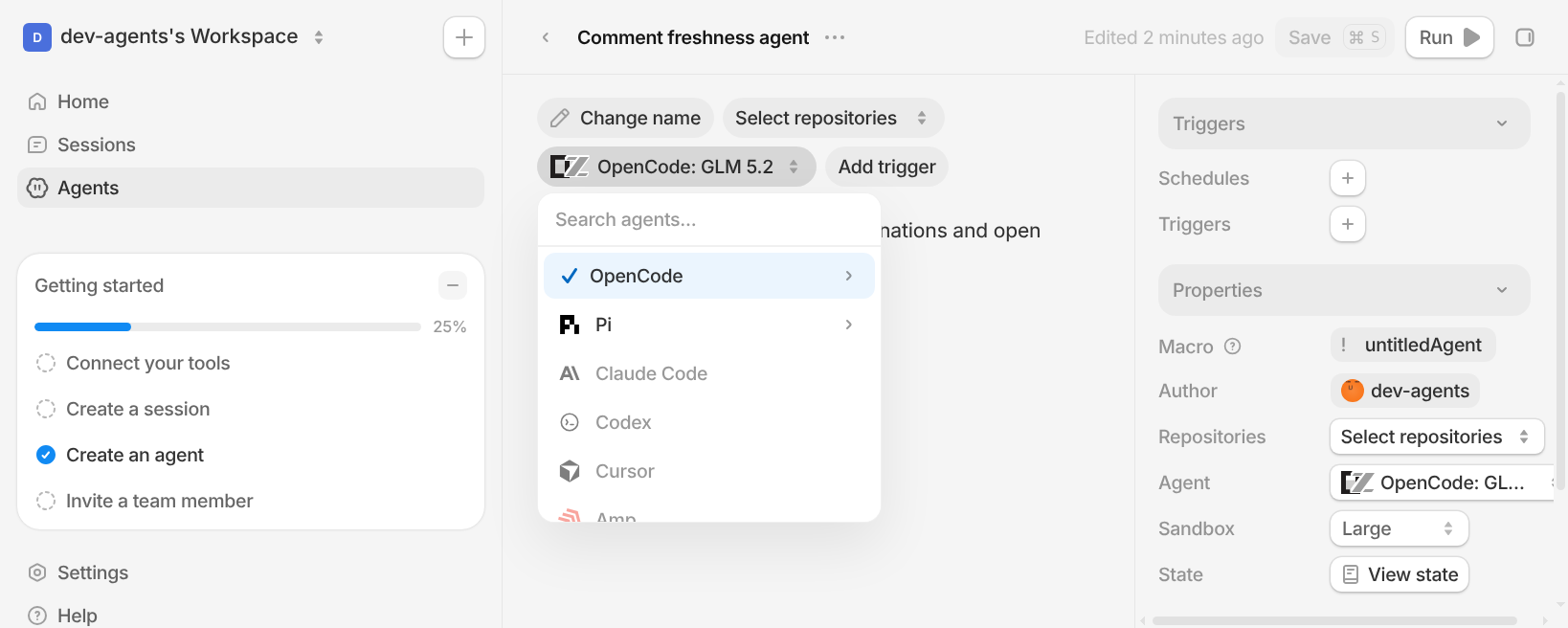
#New agent runtimes: Codex, OpenCode, and the Claude Code SDK
Tembo's agent runtime now runs the Codex app server, the OpenCode server, and the Claude Code SDK directly, alongside a new hot path that skips the queue for VMs that are already running. Sessions on these agents start faster and feel more responsive end to end.
#Claude Opus 5 is now available
You can now run sessions on Claude Opus 5. Pick it from the model selector on any agent that supports Anthropic models when a task calls for extra reasoning power.
#See how much context your session is using
The composer now shows a live context usage indicator, so you can see how close a session is to its context window limit at a glance instead of finding out only after it degrades.
#More visibility into what your session is doing
- If a session's host needs to be replaced, an in-chat card now walks you through the saving, restoring, and resuming stages instead of leaving you guessing why things paused.
- The setup log now shows how a sandbox booted (fresh, from an org snapshot, or restored from backup), with tips explaining what each path means.
- Build and VM logs share one redesigned toolbar now, and you can download the full log output.
- Snapshot builds show live, step-by-step progress instead of a single spinner.
#Agent state is easier to find and manage
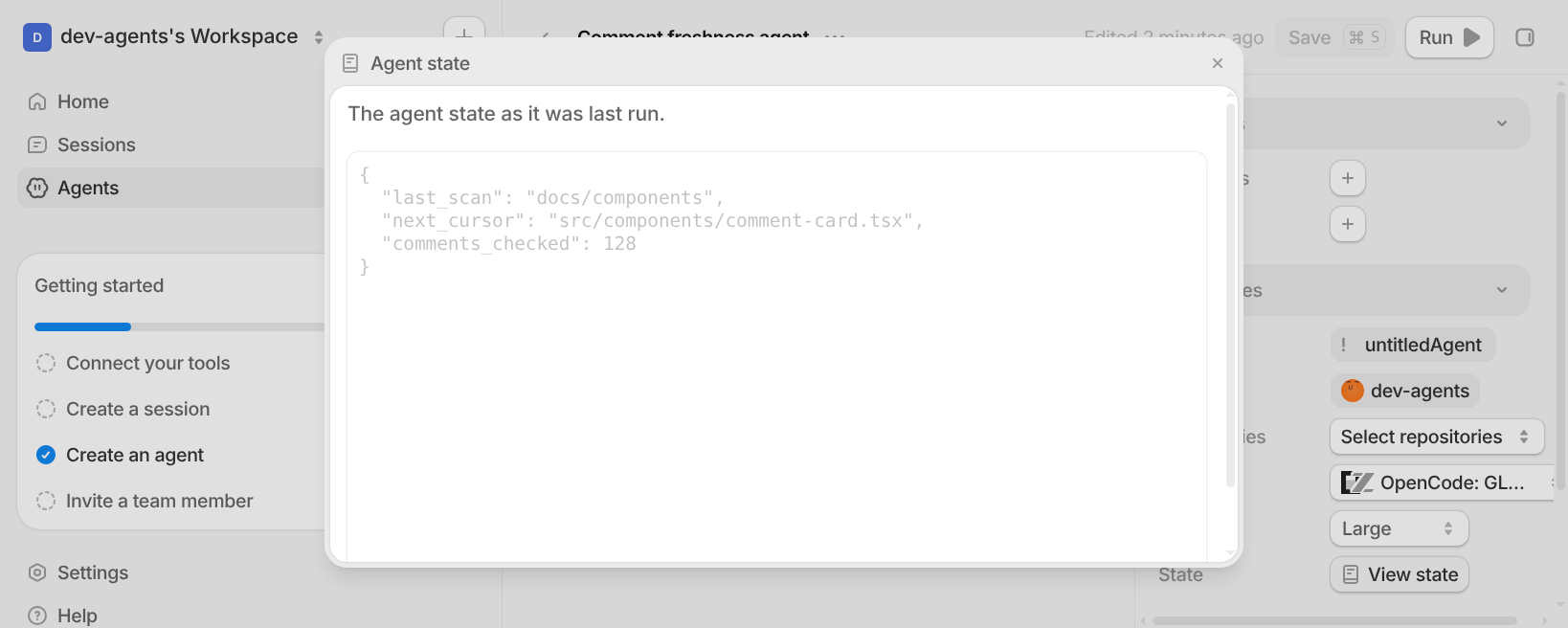
Persistent agent state now always shows up in the agent's Properties panel, even before any state has been set, with guidance on how to read and write it. The dialog is also bigger and easier to read.
#Session quality-of-life improvements
- Duplicate an agent from the agent menu to spin up a fresh session with the same setup.
- Stop a session's VM directly from the sidebar instead of opening the session first.
#New for agent workflows
- Datadog is now available as a suggested MCP server.
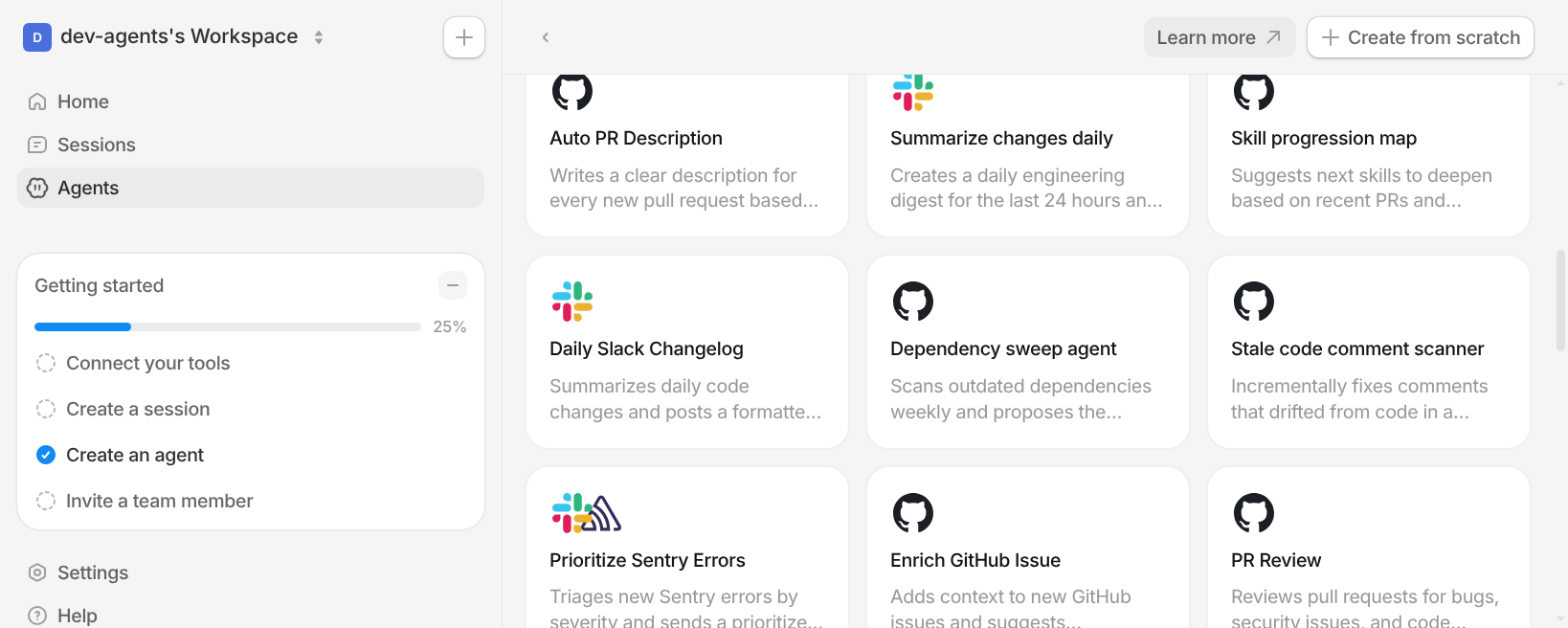
- A new "Stale code comment scanner" template incrementally fixes comments that have drifted out of sync with the code around them.
Also various bug fixes and improvements as always :)
Pre-run Scripts and Live Diffs
#Run pre-run commands before automation sessions start
Automations can now run a pre-run script on the VM before the agent starts working. This makes it much easier to check prerequisites, bootstrap dependencies, or set up project state before a run begins, and Tembo will stop the workflow early if the script fails.
#Workspace diffs now update live while a session is running
The workspace changes panel now updates live while the agent is editing files instead of waiting on polling. You can watch file counts and diff stats move in near real time and jump into a PR faster once the session is ready.
Also various bug fixes and improvements as always :)
HTML Artifacts, Service Previews, MCP Client Credentials, and AWS Accounts
#HTML artifacts now open as real previews inside Tembo
Agents can now generate HTML artifacts that render directly inside Tembo instead of showing up as plain files. That makes it much easier to review generated pages, reports, and small apps without leaving the session.
#Share local apps with one service preview command
The CLI now includes a service preview command that exposes a local HTTP port and gives you a shareable public URL. It is a much smoother way to demo a local build, QA a flow, or send someone a working preview without extra setup.
#Custom MCP servers now support client credentials auth
Custom remote MCP connections can now use OAuth client credentials in addition to standard OAuth flows. This makes it easier to connect MCP servers that are designed for server-to- server access instead of interactive user sign-in.
#Manage AWS connected accounts directly in the app
AWS connected accounts are now easier to manage from Tembo. You can edit account names and role ARNs in place, and disconnect accounts from the same management surface when you need to clean things up.
#More GPT model options are available
Tembo now supports GPT-5.6 Sol, GPT-5.6 Terra, and GPT-5.5 Pro, giving teams more options when they want to tune for speed, cost, or capability.
Also various bug fixes and improvements as always :)
BigQuery, Workspace Files, Snapshot Setup Scripts, and Sonnet 5
#BigQuery is now available as a Tembo integration
You can now connect BigQuery directly to Tembo so agents can work with your datasets without awkward handoffs or one-off setup. It gives teams a much cleaner path for data investigations, reporting tasks, and warehouse-backed engineering work.
#Browse workspace files right from a session
Session workspaces now include a proper file browser and file viewer inside Tembo. You can open the repo tree, inspect files the agent is working with, and stay in context without bouncing out to another tool just to see what changed.
#Add setup scripts to reusable snapshots
Snapshots can now run a setup script as part of the build, which makes it much easier to bake project-specific tooling, dependencies, and environment setup into the snapshot you reuse across future sessions.
#Claude Sonnet 5 is now supported
Claude Sonnet 5 is now available as a model option in Tembo, giving teams another strong default for day-to-day coding and reasoning work.
#A new nano sandbox size for lighter work
We added a new nano sandbox size for smaller, lighter-weight tasks. It is a better fit when you want the lowest-overhead environment for quick work instead of spinning up a larger sandbox than necessary.
Also various bug fixes and improvements as always :)
Insights V2, Confluence, and Faster Session Navigation
#Insights V2 gives teams a clearer usage view
We shipped a new version of Insights with a cleaner structure for reading team activity, usage trends, and operational signals. It makes the page easier to scan when you want to understand what Tembo is doing across the organization.
#Confluence read access is available for Atlassian integrations
Atlassian connections can now include Confluence read access with more granular OAuth scopes. That gives agents a better way to answer questions and perform work with context from your internal documentation.
#Recent sessions are easier to search and filter
The sidebar now has recent-session filtering and search, plus cleaner tab ordering in the session view. It is faster to get back to the session you need and continue from the right place.
#Snapshots can be renamed
Reusable snapshots now include a rename flow, so teams can keep snapshot libraries understandable as they create more project-specific environments.
Also various bug fixes and improvements as always :)
Artifacts, BYOK Providers, New Models, and Tour Mode
#A dedicated Artifacts tab for session outputs
Sessions now have an Artifacts tab for files, previews, and other generated outputs. We also added a copy action for artifact URLs, so sharing or reusing output from a session is more direct.
#GCP Vertex AI BYOK and provider selection
Tembo now supports GCP Vertex AI for Gemini models, including bring-your-own-key setup and provider selection. Teams can choose the provider path that matches their security, billing, and model access requirements.
#New model options
We added Gemini 3.5 Flash and Fireworks GLM 5.2 as model options, expanding the set of models teams can choose for agent work.
#Tour mode and connected account cards
Tembo now has tour mode and refreshed connected account cards to make setup easier for new users and clearer for teams managing several integrations.
Also various bug fixes and improvements as always :)
Slash Menu Controls, Jira Templates, Slack Attachments, and Branch Filters
#The slash menu can configure more of a session
The composer slash menu now lets you choose agents, reasoning levels, sandbox sizes, repositories, branches, attachments, and repo skills. Starting a session with the right context takes fewer clicks and less switching between controls.
#New Jira workflow templates
We added Jira templates for security, triage, and test coverage workflows. These give teams more useful starting points for recurring issue-driven engineering work.
#Slack messages can include MCP attachments
Slack-based workflows now support MCP message attachments, making it easier for agents to return richer context and files directly in the conversation where the work started.
#Pull request triggers can filter by branch
The pull-request-opened trigger now supports branch filters, so automations can target the branches that matter instead of firing on every new pull request.
Also various bug fixes and improvements as always :)
HubSpot Templates, VM Controls, and Snapshot Cancellation
#New HubSpot-centered agent templates
We added HubSpot templates for call coaching, email task drafting, and turning tickets into Linear bugs. These make common customer-facing and support workflows easier to automate.
#More VM control from the session page
Sessions now include a stop-VM action in the task header dropdown, and reconnecting can extend the VM keep-alive window. It is easier to manage compute without leaving the flow of work.
#Snapshot builds can be cancelled
Snapshot builds now support cancellation, giving teams a cleaner way to stop stale or incorrect environment builds before they consume more time.
Also various bug fixes and improvements as always :)
GitLab and Bitbucket Reviews, HubSpot Triggers, MCPs, and Snapshot Progress
#GitLab and Bitbucket review support is much deeper
Tembo added GitLab and Bitbucket review lists, checks, external statuses, merge request discussions, comment syncing, and merge strategy support. Teams using either provider can keep more of their review workflow inside Tembo.
#HubSpot webhooks and triggers
The HubSpot integration now includes webhook and trigger support, so agent workflows can react to HubSpot activity instead of depending only on manual prompts.
#More suggested MCP servers
We added Intercom, Apify, Mobbin, Tavily, Tinyfish, Fathom, and Snyk service-account MCP options, making it easier to connect agents to the tools teams already use.
#Golden snapshot builds show progress
Snapshot builds now show richer progress, including flattening, integrity checks, and related build steps. Long-running environment setup is easier to monitor and debug.
Also various bug fixes and improvements as always :)
Computer Preview Links, GitLab Accounts, Workflow Filters, and Cursor Templates
#Computer previews can be copied and shared
The computer preview now has a copy-URL action and clearer booting states. It is easier to open or share the live computer view for a session when you need to inspect what the agent is doing.
#GitLab connected accounts in settings
Users can now connect GitLab accounts from settings with Clerk-backed auth. This is part of the broader GitLab workflow support landing across reviews, comments, and merge requests.
#More workflow trigger filters
Slack message triggers and GitHub issue-comment triggers now support message text filters, and Linear workflows can trigger when issue status changes. Automations can be much more targeted to the events that matter.
#New Cursor automation templates
We added non-technical Cursor automation templates for agents, expanding the set of workflows teams can start from without writing everything from scratch.
Also various bug fixes and improvements as always :)
Snapshots, Snyk, DeepSeek, and Teams
#Snapshot management is now available in settings
We added snapshot settings navigation, a redesigned snapshot setup flow, compute specs on size labels, and delete actions for snapshots. Teams can manage reusable environments more directly from the dashboard.
#Golden snapshots can pre-clone repos and skills
Golden snapshots can now pre-clone selected repositories and skills, then restore with a faster migration-based flow. Sessions can start with more of the right context already in place.
#Microsoft Teams support
Tembo now supports Microsoft Teams, giving teams another place to start and follow agent work from the tools they already use.
#Snyk is available as a vendor MCP integration
We added the Snyk security scanner as a vendor MCP integration and improved MCP categorization on the integrations page. Security-related agent workflows are easier to set up and find.
#DeepSeek V4 Pro model support
DeepSeek V4 Pro is now available as a model option, with matching model icon support in the product UI.
Also various bug fixes and improvements as always :)
Computer Preview, Port Sharing, Notion, ChatGPT Subscriptions, and Session Configuration
#KasmVNC computer preview is now built into sessions
We added a live computer preview with port forwarding and sidebar UI, then polished the desktop with better scaling, a taskbar, launcher, and Tembo branding. Agents working in a graphical environment are much easier to follow.
#Share ports from a sandbox
The new tembo-enable-port tool and user proxy deployment make it easier to expose a running local service from a sandbox for preview or review.
#Notion integration is now available
We removed the duplicate Notion MCP entry and made the Notion integration visible in the product, giving teams another first-class place to connect agent context.
#ChatGPT subscriptions for Pi and OpenCode
ChatGPT subscription support now works for Pi and OpenCode agents, expanding the ways teams can bring their preferred model access into Tembo. ChatGPT/Codex OAuth inference costs $0 through Tembo; cloud VM compute still uses the workspace's allowance.
#Session configuration is easier to adjust
Session setup now has improved configuration controls, compute specs in sandbox size dropdowns, optimistic reasoning-level updates, and more flexible composer input behavior.
Also various bug fixes and improvements as always :)
Pull Request Pages, Reviewers, Reactions, Micro Sandboxes, and Session Rename
#A dedicated pull request detail page
Tembo now has a pull request detail page with richer review context, including review comment threads in the right sidebar. Reviewing agent work is more complete without leaving the product.
#Pull request reviewers and reactions
We added reviewer tracking, requested-reviewer support, PR comment reactions, and resolved or unresolved review thread sync. Tembo now understands more of the collaboration that happens around a pull request.
#Pull request descriptions update after feedback
Tembo can now update pull request descriptions after feedback, keeping the PR summary closer to the current state of the work as the session evolves.
#Micro sandbox size
We added a micro sandbox size for smaller tasks that do not need a larger environment, helping teams pick a more appropriate compute profile for lightweight sessions.
#Rename sessions from the header
Sessions now include a rename option in the header menu, plus persistent task filters and a clearer running-session indicator for everyday navigation.
Also various bug fixes and improvements as always :)
Macros, Theming, GPT-5.5, Sessions, and New Agent Templates
#A newly redesigned sidebar
We also redesigned the sidebar to make navigation cleaner and faster. It's easier to see where you are, jump between the important parts of Tembo, and keep your workspace feeling organized as more capabilities land.
#Full theming support across the UI
Tembo now has full theming support throughout the product, which gives the interface a more consistent feel and sets us up for custom themes next. Custom themes are coming soon.
#Introducing macros
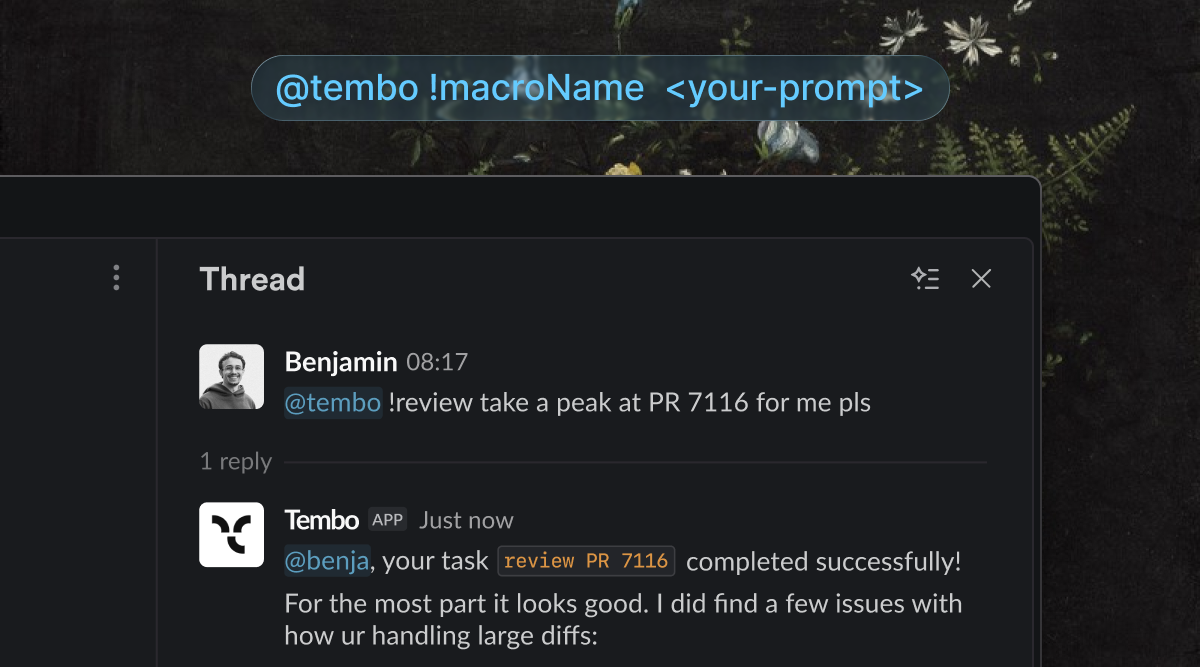
We also introduced macros, which make it easier to compose repeatable agent behavior without rebuilding the same instructions every time. They work wherever you use Tembo, including Slack, Linear, GitHub, and more, so teams have a cleaner way to reuse common workflows and keep agent setups more consistent.
#Tasks are now called sessions
We renamed tasks to sessions across Tembo. Nothing changed about how they work, but the new name better matches the full flow: you start a session, follow progress, review the pull request, and close it out.
#Improved Linear integration
Linear is now a much more complete place to work with Tembo. You can chat back and forth with Tembo inside an issue thread, ask questions, start or stop work, and change repos mid conversation without leaving Linear.
#Automations are now called agents
We renamed automations to agents across Tembo. The product works the same way, but the new name better matches what these workflows actually do: run Tembo agents in response to triggers, schedules, and recurring engineering tasks.
#GPT-5.5 model support
GPT-5.5 is now available as a model option for Codex, OpenCode, and pi agents.
#More agent templates for recurring engineering work
We added new agent templates: Fix bugs reported in Slack, Summarize changes daily, Auto docs maintainer, and Dependency sweep agent. These give teams more useful out-of-the-box ways to automate the repetitive work that usually falls through the cracks.
#Tembo Sandboxes V2: Coming very soon
- VM configuration up to 128gb, with larger configs available upon request.
- Keep alive.
- Warming.
- Snapshots.
- Load any custom dependencies per workspace or per repository.
Also various bug fixes and improvements as always :)
Diff Comments, Better Task Sharing, and Claude Opus 4.7
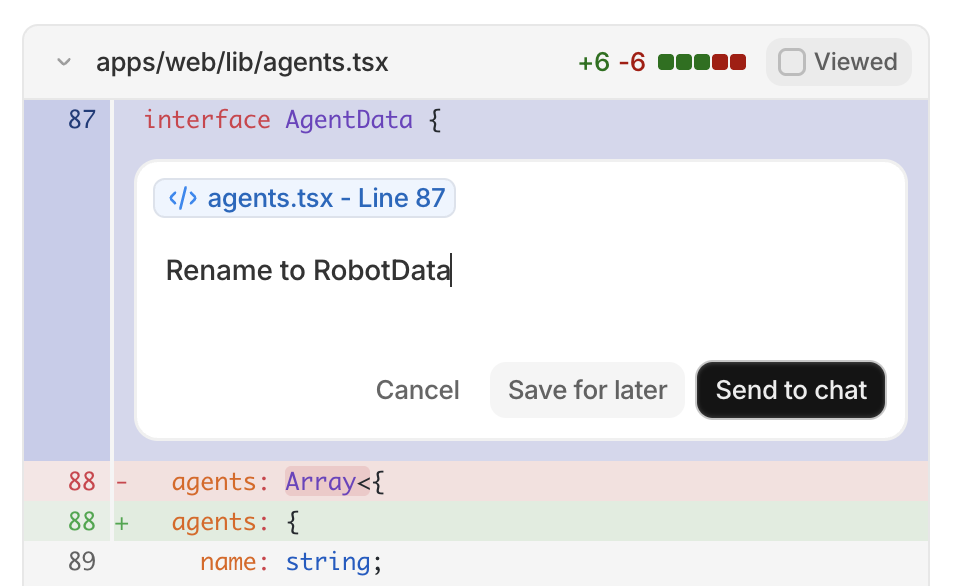
#Leave comments directly on diffs in tasks
You can now comment on specific lines inside a task diff without leaving Tembo. That makes it much easier to point out a change, ask for a follow-up, or review a pull request collaboratively from the task view.
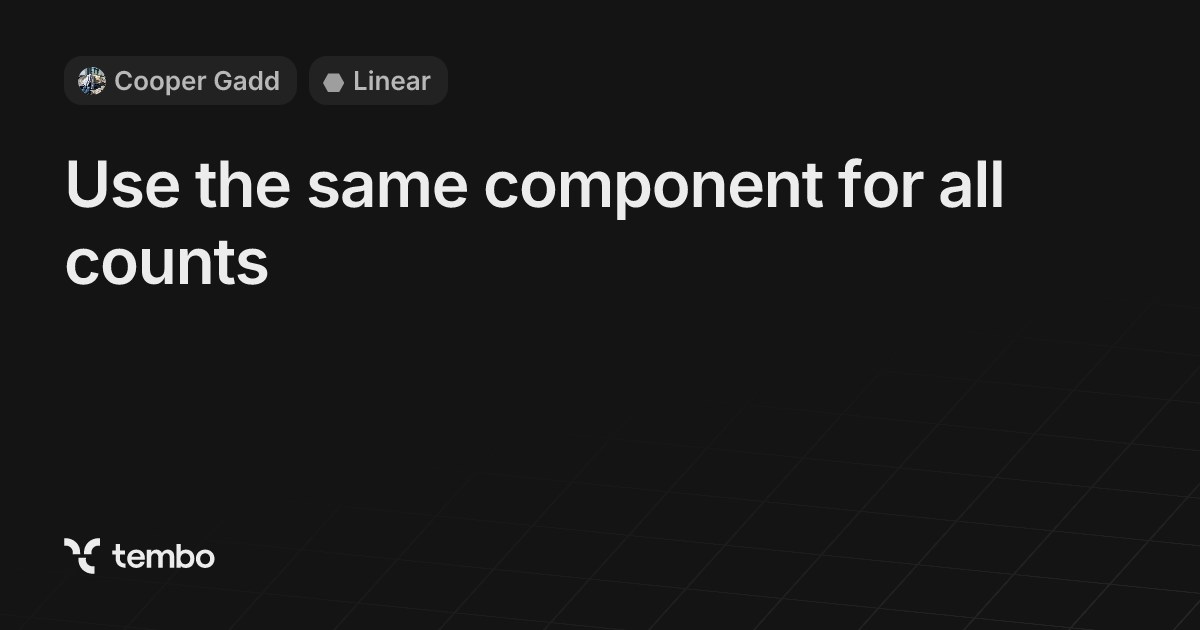
#Shared task links now preview much better
Task links now generate richer previews with the right metadata and images, so shared links are more useful at a glance. When you drop a Tembo task into Slack or other chat tools, teammates can see what the task is before clicking through.
#Claude Opus 4.7 is now available across Tembo agents
Claude Opus 4.7 is now supported across Tembo agents, giving teams another strong option for higher-end coding and reasoning work. We also improved request handling for Opus 4.7 so advanced thinking modes behave more reliably.
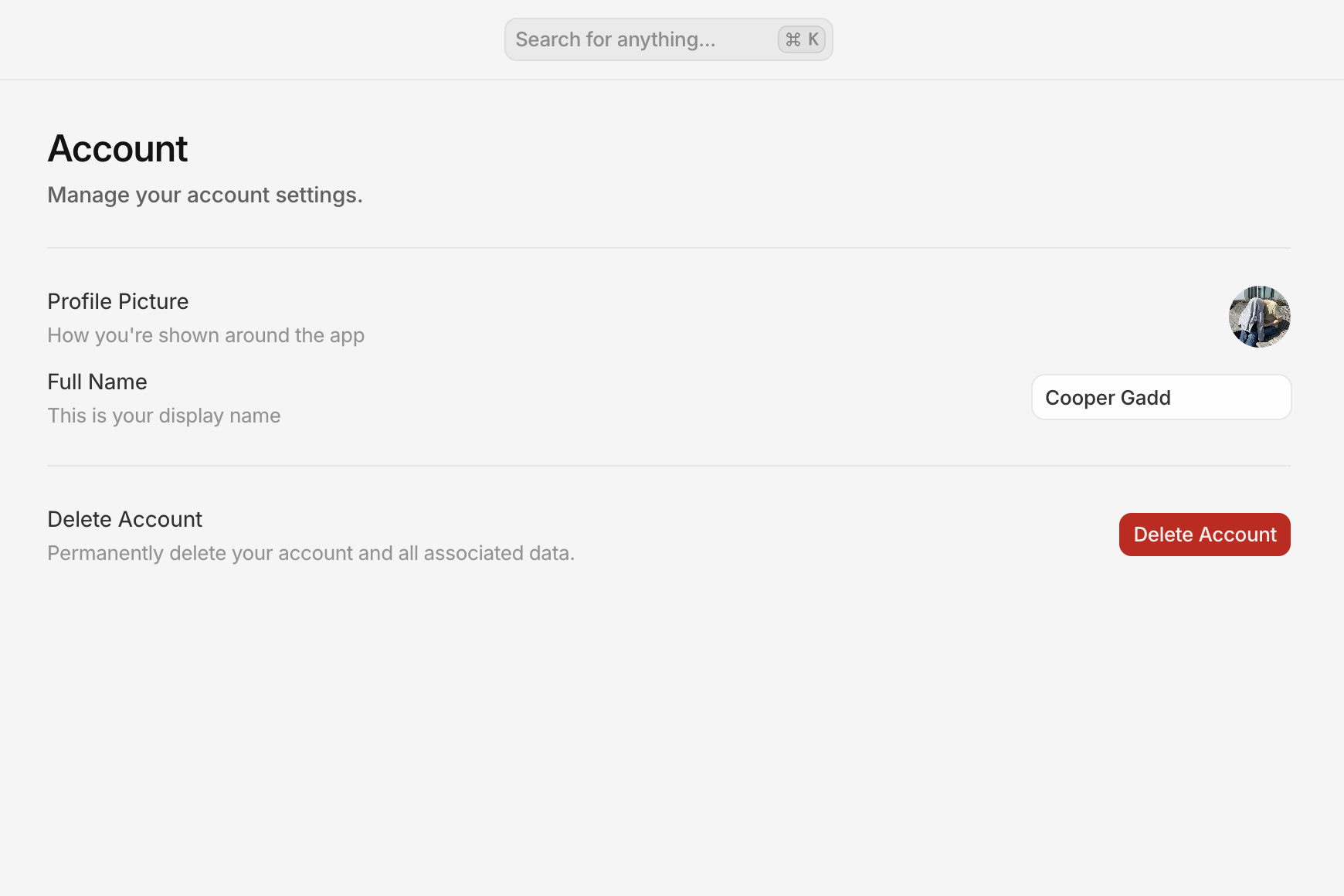
#Self-serve account deletion in settings
You can now delete your account directly from Settings when you need to leave Tembo or clean up an old workspace setup. The flow walks you through the action clearly instead of requiring manual support help.
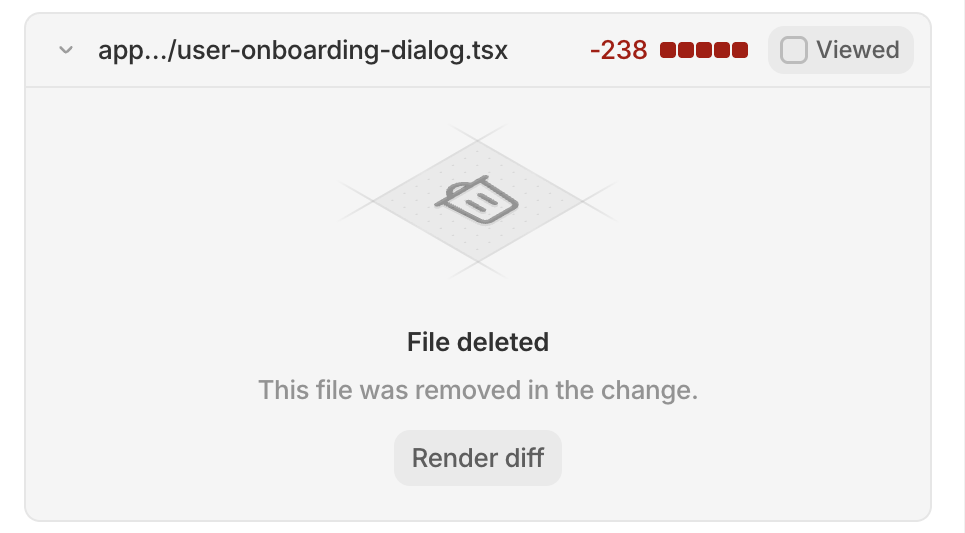
#Cleaner empty states when reviewing diffs
Diff review is a little clearer now too. Tembo shows better empty states for deleted files, binary files, or diffs that are too large to render normally, so it's easier to understand what you're looking at.
Also various bug fixes and improvements as always :)
Skills Support, Expandable Diffs, and Token Usage Insights
#Insights now separates overview from model usage
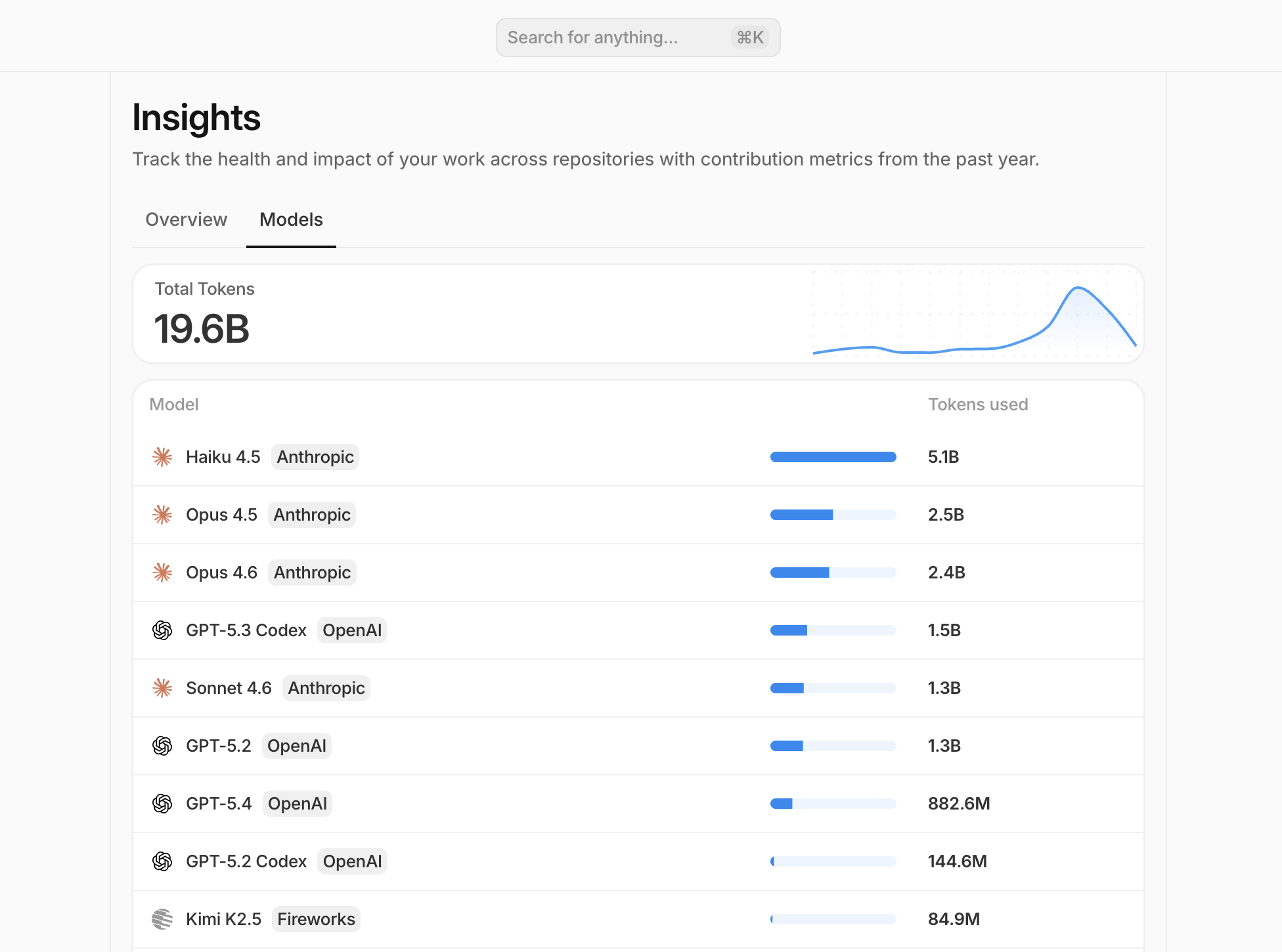
The Insights page now has dedicated Overview and Models tabs, so it's much easier to switch between team activity metrics and model usage without everything competing on one screen.
#Total token usage on the Models tab
The new Models view also shows total token usage with a trend sparkline, which gives you a much faster read on how much model capacity your team is using over time.
#Task message drafts are now saved automatically
When you're writing a follow-up on a task, Tembo now keeps that draft for the task until you send it or clear it. That makes it much easier to jump around the app, review context, or edit queued messages without losing what you were writing.
#Completed agent logs are easier to scan
Finished task logs now collapse the bulk of the Worked output into an expandable section with the runtime shown up front, so you can get to the final answer, errors, and feedback loop events faster while still expanding the full log when you need it.
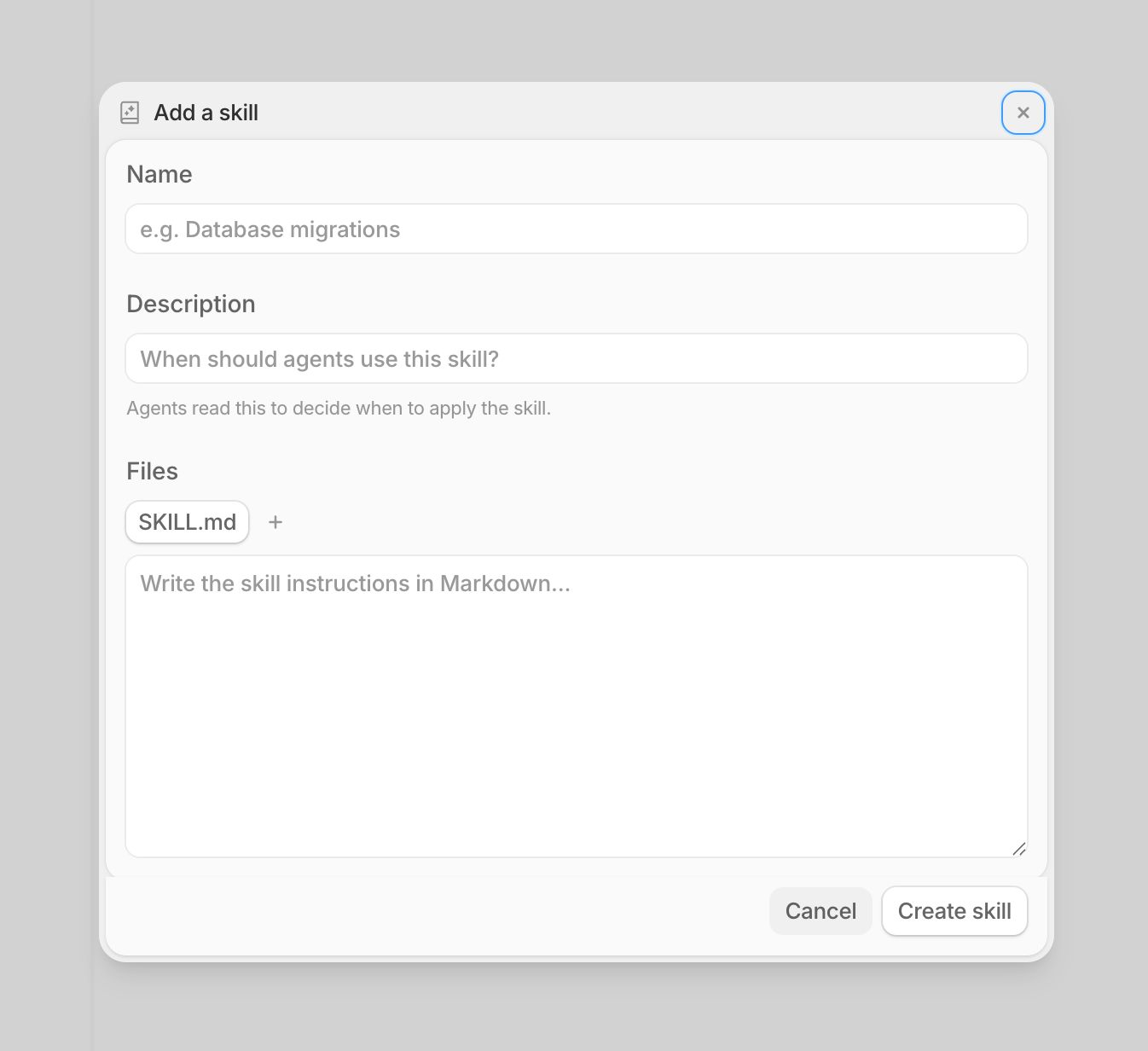
#First-party Skills support within Tembo
You can now upload Skills to Tembo and configure them directly from the dashboard without having to live inside of your codebase. That means your agents can use custom Skills you define, and you can manage everything from one place.
#Expandable file diffs in tasks
You can now expand to view the full file diff directly inside a task without leaving Tembo. That means you can review exactly what changed in each file right from the task view.
Also various bug fixes and improvements as always :)
Slack Integration V2, Cmd+K Actions, and Faster Reviews
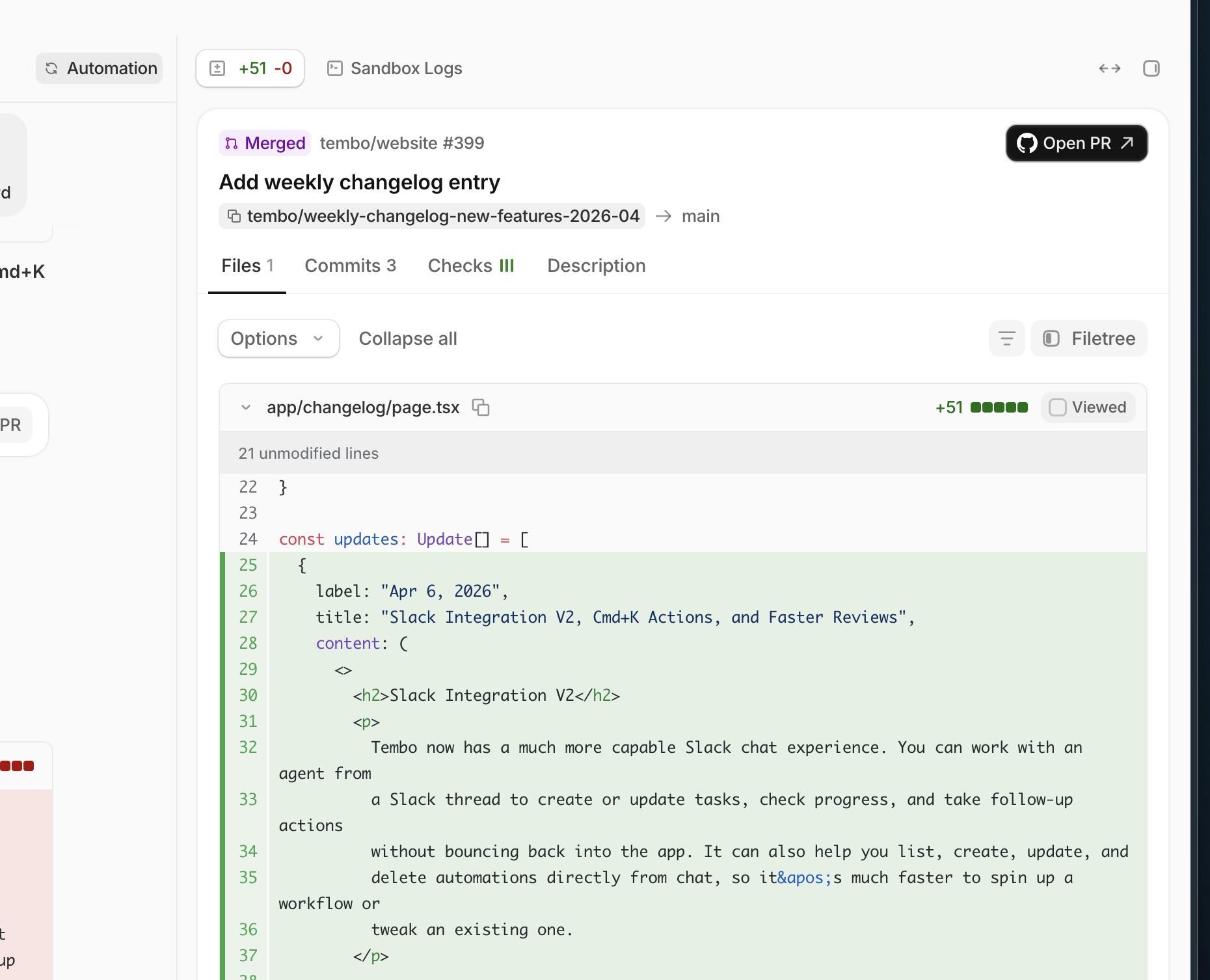
#Slack Integration V2
Tembo now has a much more capable Slack chat experience. You can work with an agent from a Slack thread to create or update tasks, check progress, and take follow-up actions without bouncing back into the app. It can also help you list, create, update, and delete automations directly from chat, so it's much faster to spin up a workflow or tweak an existing one.
#New Slack reaction trigger for automations
Slack automations can now start when someone adds a specific emoji reaction to a message. You can also filter by emoji, channel, and user, which makes lightweight triage, approval, and follow-up workflows much easier to set up.
#Top models on the Insights page
Insights now shows your top models by token usage, so it's easier to see which models your team is relying on most over time.
#New Cmd+K actions menu
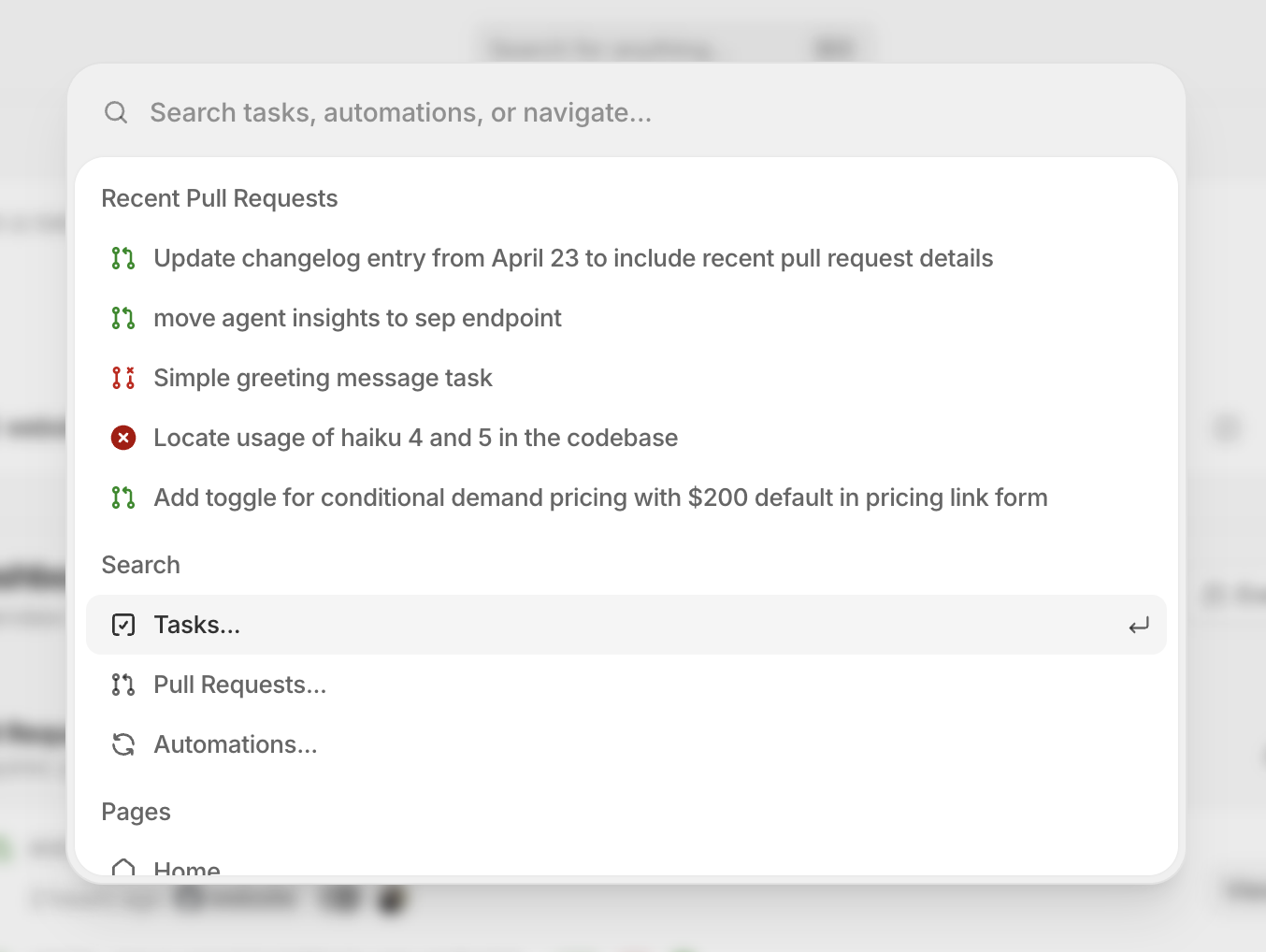
There's also a much more capable Cmd+K menu that makes it easy to take actions in Tembo without leaving your keyboard. You can jump between pages, trigger task and automation actions, and move through common workflows much faster.
#Better multi-repo task control
Task setup is smoother when work spans more than one repository. Tembo now has clearer multi-repo controls in task flows, and agent-driven task updates can target multiple repositories at once.
#Faster pull request review inside Tembo
Reviewing work inside Tembo is faster now too. Larger diffs are easier to expand, task lists can be filtered by pull request status, failing checks are more visible, and pull request cards surface check details more clearly.
Also various bug fixes and improvements as always :)
Slack Triggers, Retryable Tasks, and Smarter Automations
#Trigger automations from Slack messages
Slack automations can now start when a new message is sent in a channel. You can also filter by channel, which makes it easier to react to requests in a specific support, triage, or engineering channel.
#Reset and retry tasks
If a task gets into a bad state or you want to rerun it cleanly, you can now use Reset and Retry from the task page. Tembo clears the previous task data and restarts the job without you needing to create a brand new task.
#Better webhook and API triggers for automations
Automations now have an editable trigger name/key, and you can trigger them through webhooks or the API using either the workflow ID or key. That makes it much easier to wire Tembo into external systems without relying on brittle internal identifiers. See API trigger automation documentation for more details.
#More control over Jira and GitHub triggers
Jira automations now support new Issue Updated and Issue Label Added triggers, and GitHub's Pull Request Opened trigger can now filter by label. This gives you more precise ways to kick off follow-up work only when the right issue or PR changes happen.
#Faster pull request review inside tasks
Task pages got a more capable right sidebar with clearer pull request actions, checks, diff controls, file filtering, and sandbox log access. Pull request commit data is also richer now, including author details plus additions and deletions counts, so reviewing changes inside Tembo is faster.
#Smoother Linear setup
Linear setup is smoother now too: the integration page can preselect a default repository, and Tembo gives clearer feedback when a workflow expects a linked GitHub account. That reduces setup friction before you turn on Linear-powered automations.
Also various bug fixes and improvements as always :)
Email Sign-In, Repositories, and Better Workflow Setup
#New repositories page
There's now a dedicated Repositories page in settings where you can browse connected repos, search and filter them, and quickly see details like the base branch, pull request behavior, and recent activity.
#New automation templates page
Automations now have a dedicated template details page, so it's easier to understand what a template does before you use it. You can review the template description, category, schedules, integrations, and trigger requirements, then pick the right connected apps and install it directly from there.
#Blank workflows and new Jira template
Automation setup is more flexible now. You can start from a blank workflow, and there is also a new Enrich Jira Issue template to kick off follow-up work from Jira tickets faster.
#Schedules now show your local timezone
Scheduled automations are easier to reason about because schedule times and next run times now show in your local timezone instead of forcing you to mentally convert from UTC.
#More model options
GPT-5.4 Mini and GPT-5.4 Nano are now available, and the Cursor model list has been updated with newer Composer options. We also updated the default Codex model to gpt-5.3-codex.
#Smoother task and pull request review
A handful of smaller quality-of-life improvements shipped this week too: chat now auto-scrolls more reliably when you send a message, copy-branch is easier to use, pull request cards now show the author's avatar, task owner filters show profile pictures, and new chat messages render their planning state faster.
#Email + password sign-in for Tembo Self Hosted
Tembo Self Hosted now supports signing in and creating accounts with email + password. SaaS already had this, but self-hosted deployments can now offer the same path alongside OAuth providers.
Also various bug fixes and improvements as always :)
Reopen PRs, Jira Triggers, and Sentry Auto Fix
#Reopen pull requests from a task
You can now reopen a closed pull request directly from the task page. This works across supported Git providers, so it's easier to keep iterating without leaving Tembo.
#Multiple pull requests for multi-repo follow-up
When a fix spans more than one repository, Tembo can now open multiple pull requests as part of the feedback loop instead of forcing everything into a single repo.
#New Issue Status Changed trigger for Jira
The Jira integration now includes a new Issue Status Changed trigger for automations. You can use it to kick off follow-up work automatically when issues move into states like In Progress, In Review, or Done.
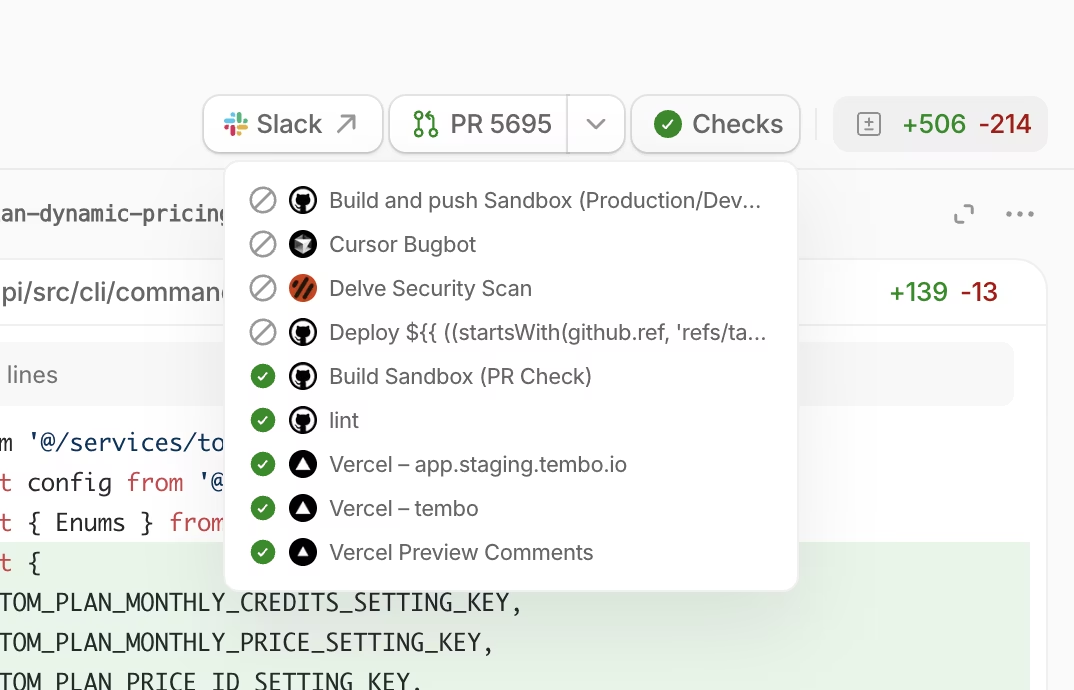
#CI checks on task pages
Task pages now show pull request CI checks, so it's much easier to see when CI is failing without leaving Tembo.
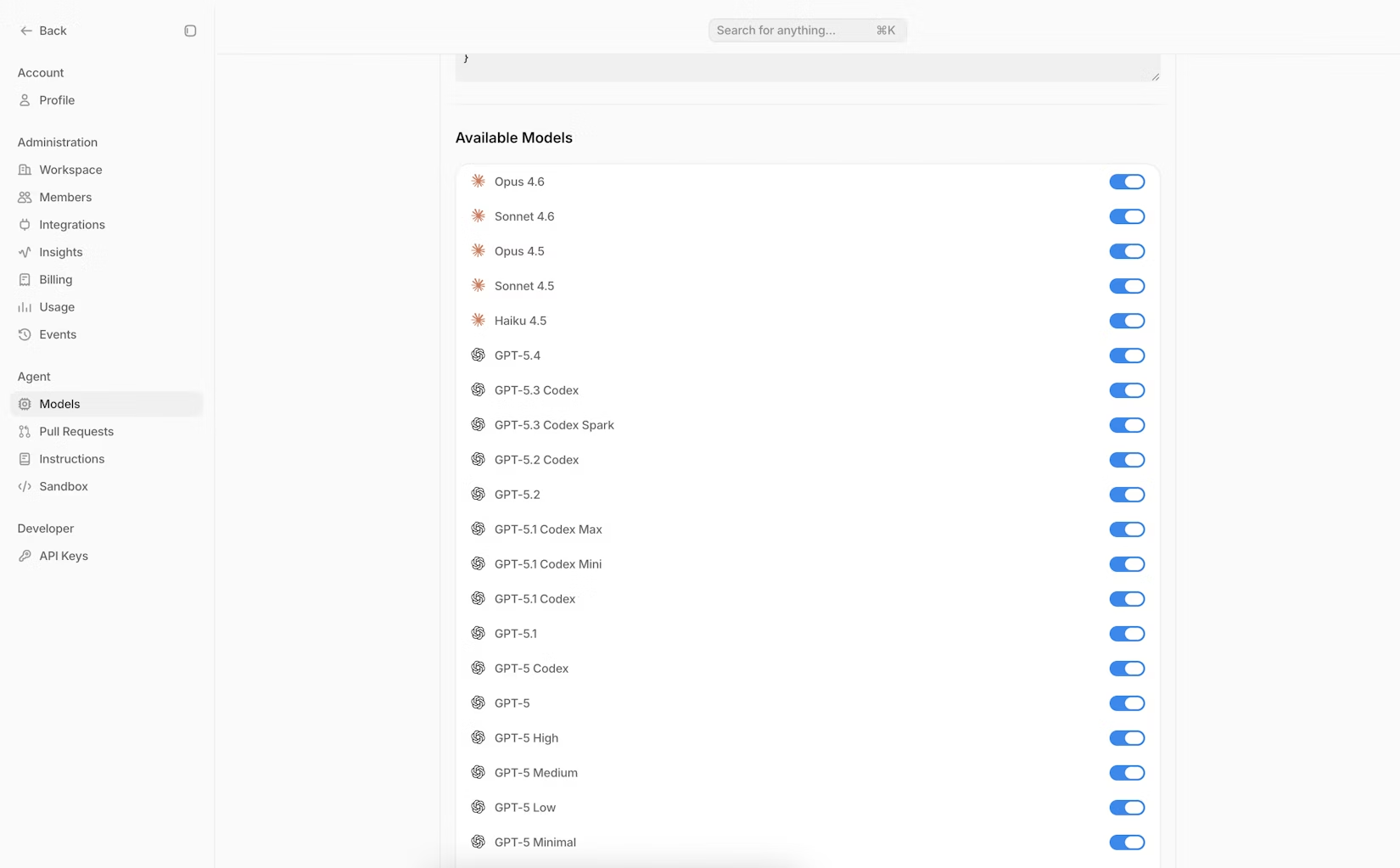
#Org model controls
Org admins can now control which models are available in Tembo from Settings → Models. Disabled models are removed from agent pickers, so it's simpler to standardize which models your team can use.
#Better task review ergonomics
Task pages are now easier to review during longer runs. Prompt cards are easier to reference while you scroll, you can copy a prompt with one click, diff headers stay visible, and long folder chains are collapsed into cleaner file tree paths.
#Richer task and agent logs
Task logs are easier to follow now. File writes can render as diffs, structured JSON and JSONL command output is easier to read, and SQL query events have clearer dedicated rendering.
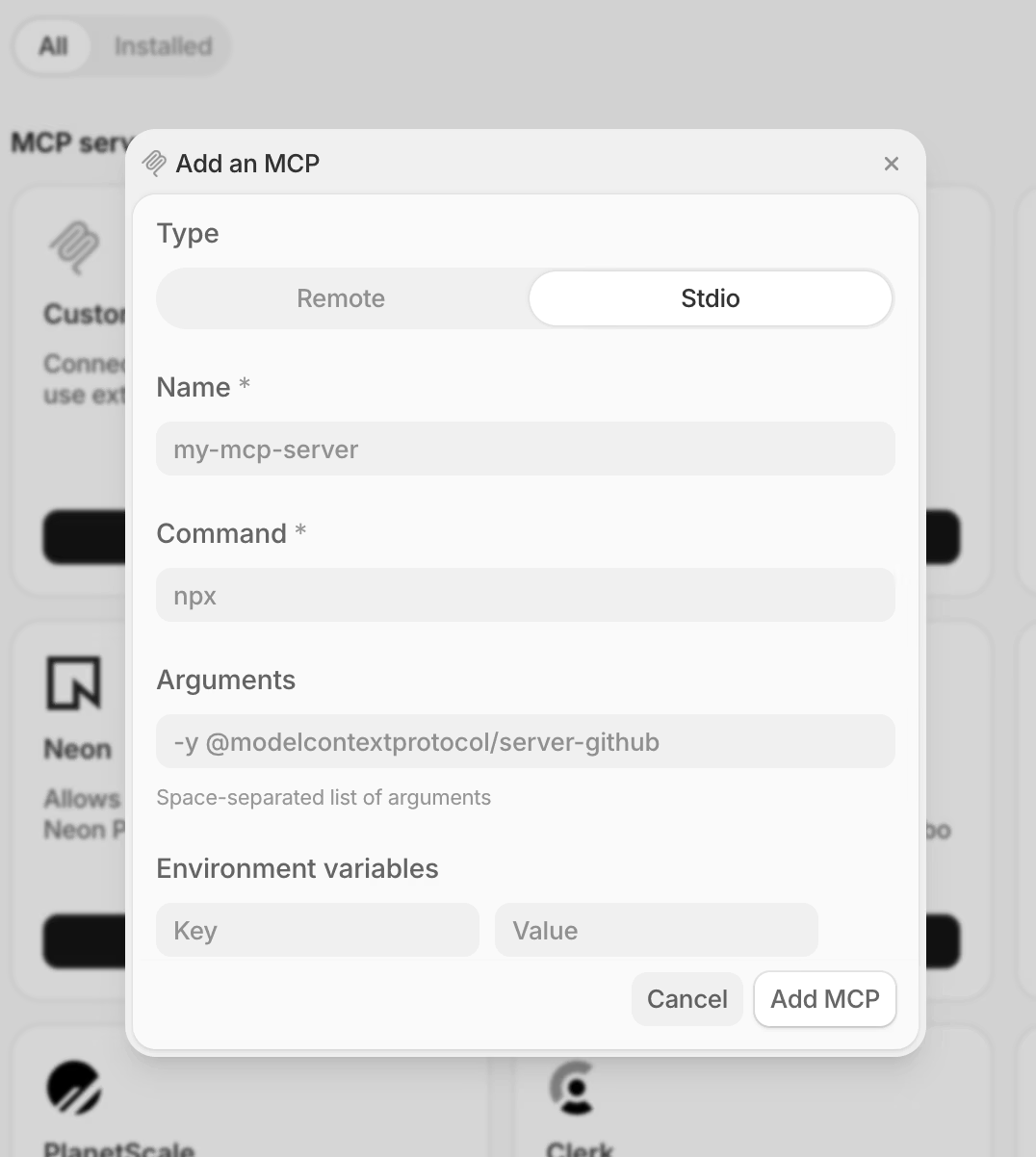
#Custom stdio MCP servers
You can now run custom stdio MCP servers and configure them in Settings → Integrations.
#Sentry Auto Fix automation template
There is now a Sentry Auto Fix automation template that helps you monitor new Sentry issues, diagnose the root cause in your codebase, and open a pull request with a targeted fix.
Also various bug fixes and improvements as always :)
Templates, Filters, and GPT-5.4
#Automation templates
You can now start from a new Templates page when creating automations, with pre-built workflows like Auto Fix CI, PR Review, Security Scan, and Daily Slack Changelog to help you get to value faster.
#Automation filters
The Automations page now includes filters for status, integrations, and creator, so it's much easier to find the workflow you want to review or edit.
#Better task filtering and PR review
The Tasks page now gives you more powerful filters for status, source, repository, and owner. Individual task pages also got a better PR review experience with clearer pull request controls and a searchable file tree in the diff view.
#GPT-5.4 model support
GPT-5.4 is now available in Codex and OpenCode agents, and Tembo's PR Review automation now uses GPT-5.4 as well.
#MCP improvements
You can now edit existing MCP server connections after adding them, and Stripe is now available as a suggested MCP integration.
Also various bug fixes and improvements as always :)
Custom MCP, Queued Messages, and On-Demand Pricing
#GPT-5.3 Codex model support
gpt-5.3-codex is now available as a model option for Codex CLI and OpenCode agents.
#Edit queued messages
When you send messages while an agent is working, you can now edit queued messages before they're sent.
#Change reasoning + sandbox from chat
You can now change Reasoning and Sandbox type from an existing task chat, no restart required.
#Custom MCP servers (including OAuth)
You can now connect custom MCP servers, including OAuth-based MCP servers that require an authorization step.
#Jira automation trigger: Issue Created
You can now trigger Jira automations when a new issue is created.
#On-demand usage pricing
Enable on-demand usage and set a monthly spend limit so tasks can keep running beyond your plan's included quota.
#Cursor CLI logs
Cursor CLI output is now available in the sandbox log viewer.
Various bug fixes and improvements :)
Chat Experience Upgraded
#Full chat UX in tasks
Task pages now include a full chat experience so you can follow up with the agent right where work is happening. The new composer supports rich text, mentions, and keyboard shortcuts (including Cmd/Ctrl + Enter to send), plus quick actions like connecting repos, changing agent/branch, retrying, stopping, and generating a PR.
Messages you send while the agent is working are queued and sent in order. If you're reviewing changes, you can also resize the diff panel to give more space to the chat or the code.
#Sonnet 4.6 model support
Sonnet 4.6 is now available as a model option in both Claude Code and OpenCode.
Various bug fixes and improvements :)
Insights, Diff View, and New Sign-In
#Sidebar: Recent Tasks
The sidebar now features a Recent Tasks section that shows you a list of your most recent in-progress and completed tasks. This gives you quick access to jump back into active work or review what was recently finished, without needing to navigate to the full tasks page.
#Insights page
You can now use the new Insights page (in the sidebar) to understand how Tembo is impacting your engineering throughput, including:
- Your Tembo contribution (% of merged PRs created with Tembo)
- PR creation and merge trends over time
- Breakdowns by repository and by teammate
#New models
Two additional models are now available:
- GLM 5
- Kimi K2.5
#Diff view in tasks
Tasks now include a new diff view, including a dedicated View diff action from the task header. You can also merge or close pull requests right from within Tembo (without switching to GitHub, GitLab, or Bitbucket).
#GitHub automation trigger: Tembo Pull Request Opened
You can now trigger automations when a pull request created by Tembo is opened (great for automatically kicking off follow-up workflows like PR review, notifications, or audits).
#Refreshed sign in and sign up
The sign in and sign up experience has been refreshed, making it easier for you to get started and get back to work quickly.
Various bug fixes and improvements :)
Opus 4.6, New Task Layout, and More Models
#New models
New models are now available:
- GLM 4.7 (only in OpenCode)
- Opus 4.6
- gpt-oss (only in OpenCode)
- Llama 3.3 70B (only in OpenCode)
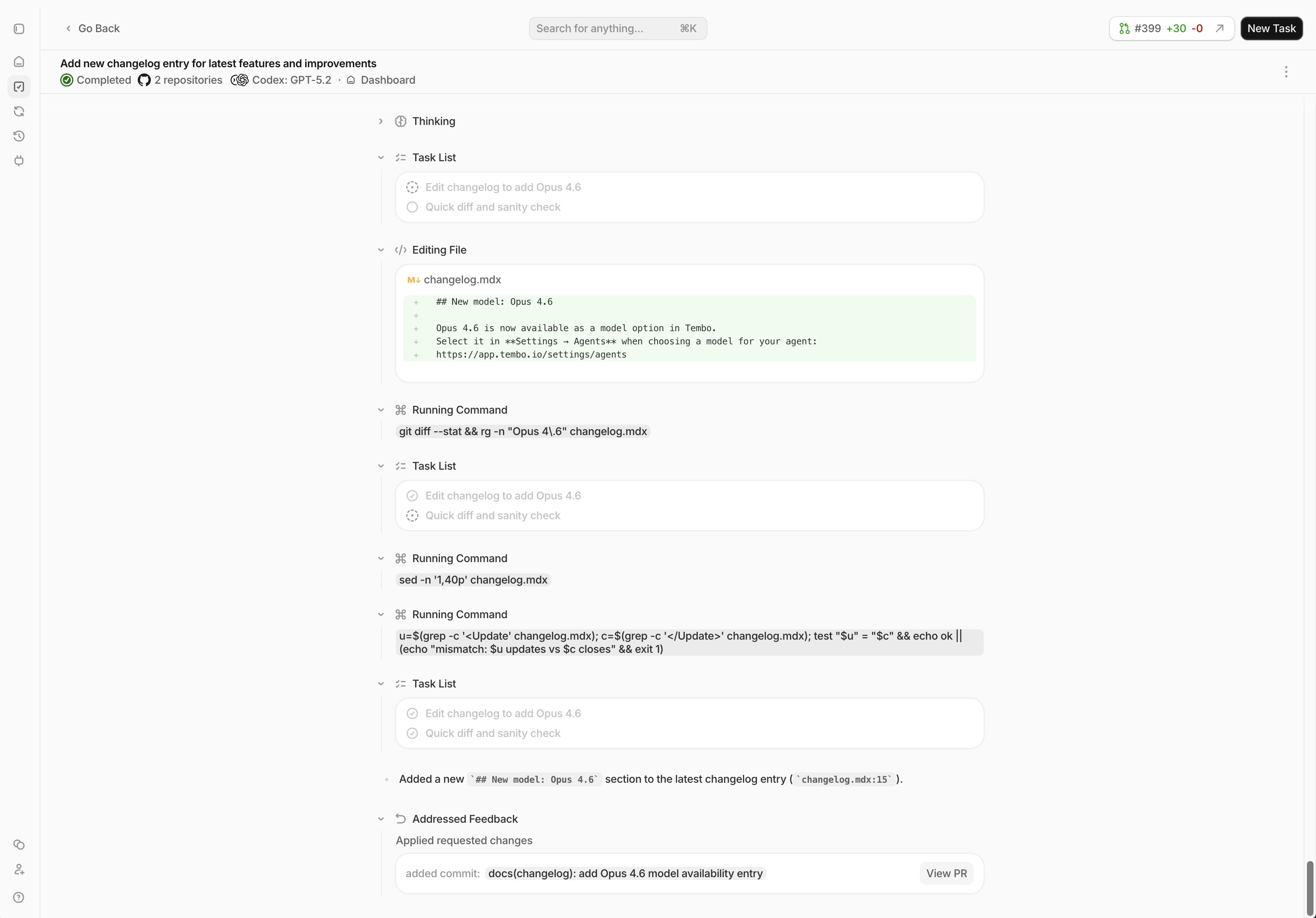
#New task view layout UI
Task pages now have a refreshed layout with more space to see what the agent is doing. Full chat UX + input is coming soon.
#Improvements
Various bug fixes and improvements
AWS Bedrock BYOK, Bitbucket Feedback, and GitLab Parity
#AWS Bedrock BYOK (bring your own keys)
You can now use AWS Bedrock models in Tembo with your own AWS credentials. Add your Access Key ID, Secret Access Key, and Region in Settings → Agents: https://app.tembo.io/settings/agents

#Bitbucket Feedback Loop
The Feedback Loop now supports Bitbucket pull requests. Leave a /tembo comment on a Tembo PR to request changes, and Tembo will iterate and post the result back to the PR.
Learn more: Feedback Loop
#More Jira automation options
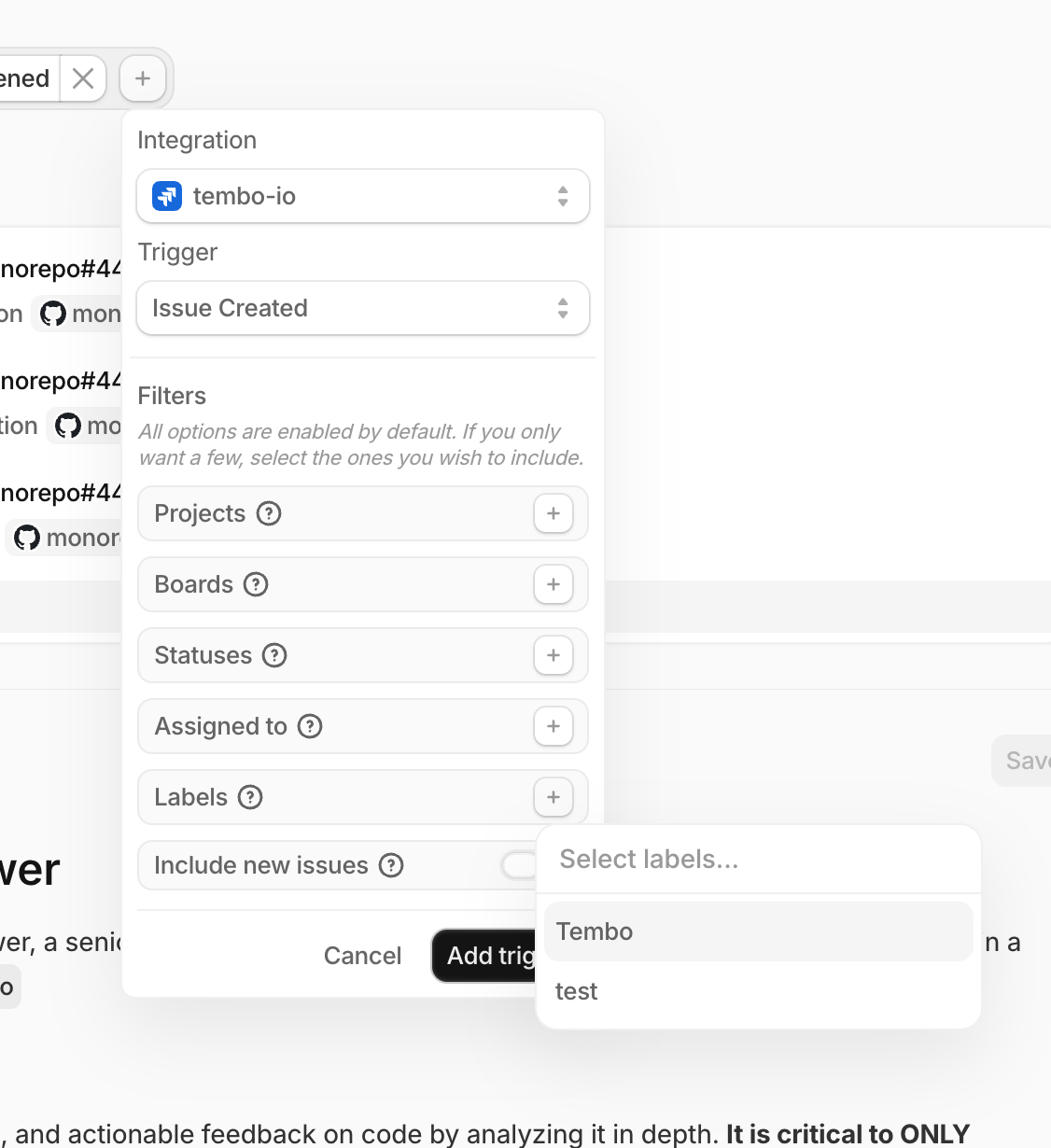
Jira automations got more powerful (and more precise):
- New trigger: Issue Assigned to User
- More filtering for Issue Created, including filtering by labels
- Smarter repository detection using Jira issue labels
#GitLab trigger parity
GitLab automations now have trigger parity with GitHub, including merge request, issue, and CI events (like merge request opened/updated/merged, issue comments, pipeline failures, and new refs).
#API keys improvements
- Removed the API key limit of 10 per organization
- Improved the API keys page empty state
#Onboarding polish
- Added an "Assign a Linear ticket" get-started card
- Reduced onboarding and dashboard loading-state flicker
- Tembo now remembers your last used repositories in the UI
And as always there were various bug fixes and improvements :)
Atlassian MCP, Richer Logs, and Java Sandboxes
#Refreshed sandbox log viewer
Sandbox logs are now easier to scan:
- Clear event type labels and timestamps
- Collapsible JSON payloads for deeper details
- Improved scrolling behavior (including a scroll-to-bottom button)
#Atlassian MCP (Jira + Confluence)
If you've connected Atlassian, you can now enable an Atlassian MCP server for your tasks. This gives the agent direct access to Jira and Confluence actions from within the task environment.
#New Jira automation trigger: ticket added to board
You can now trigger Jira automations when a new ticket is added to a board, so your workflows can kick off earlier in triage.
#Richer agent logs
Agent logs got a few quality-of-life upgrades:
- A "Planning next moves" indicator while the agent is thinking
- File icons in diff views
- Better icon mapping for Atlassian-related tool events
#Redesigned PR description buttons
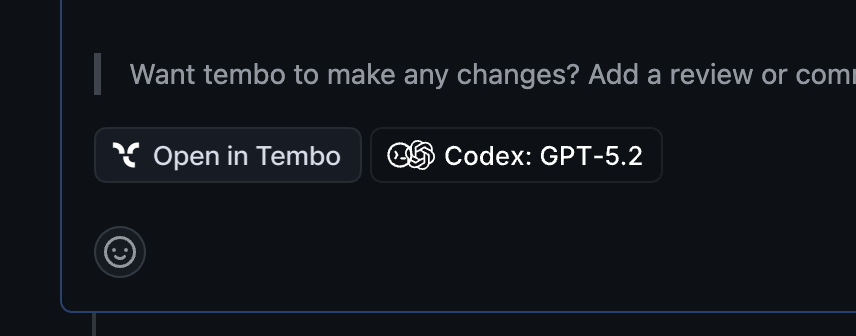
When Tembo opens a pull request, you'll now see beautifully redesigned buttons in the PR description (like View on Tembo and View Agent Settings) to jump to the right place faster.
#Linear automation trigger: filter by label on "Issue Created"
When using the Linear "issue created" trigger, you can now optionally filter by label so automations only run for the issues you care about.
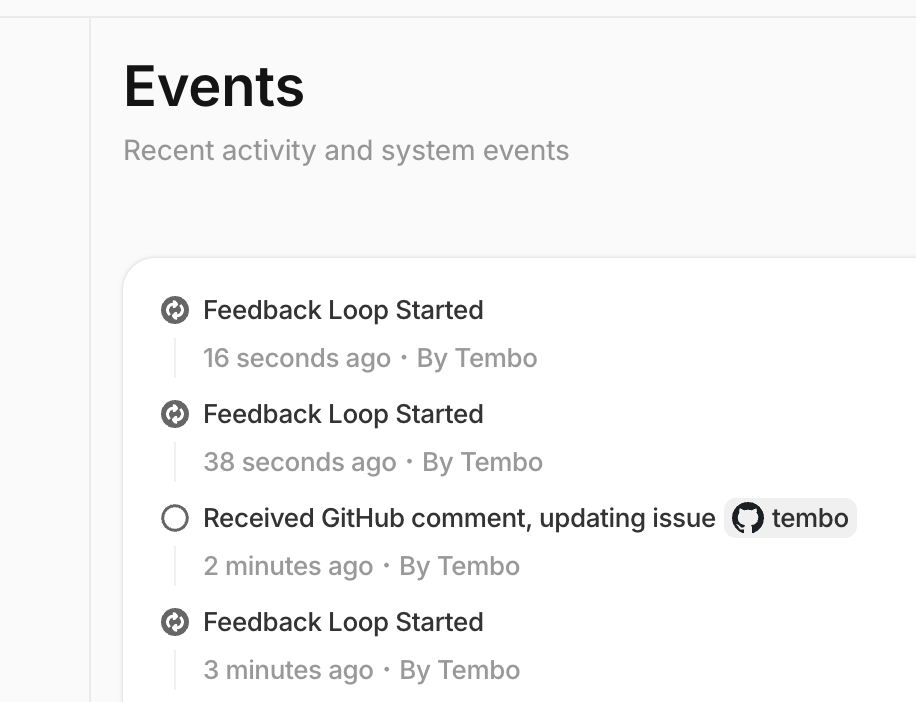
#Redesigned Events tab (audit log)
The Events tab in the app sidebar has been redesigned to make it easier to review the audit log of actions taken across your workspace.
#Java toolchain in sandboxes
Sandboxes now include Java (JDK 21) plus Gradle and Maven, so agents can build and run Java projects without extra setup.
#Improvements
Various bug fixes and improvements as always :)
Tembo Max, New Agent Logs, and Reasoning Controls
#New agent logs
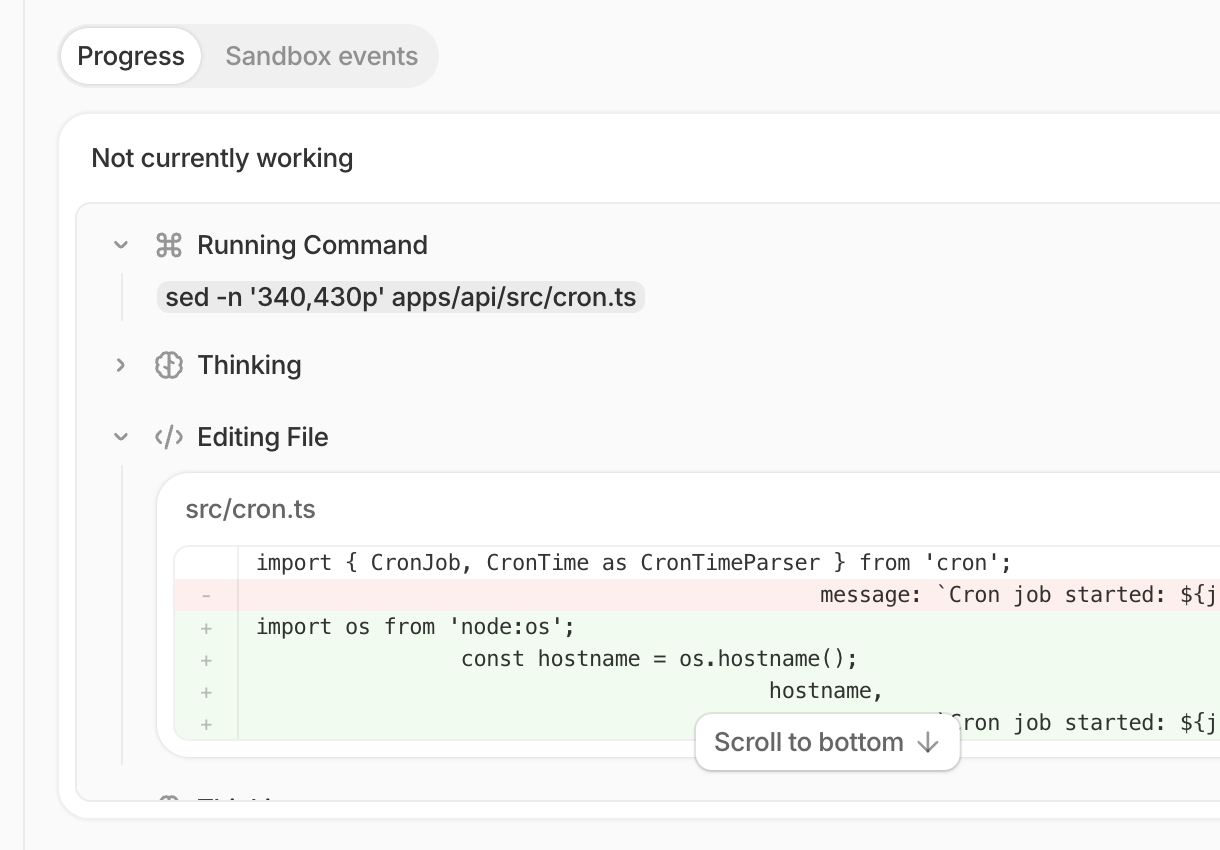
New agent logs have been shipped for all agents including Claude Code, Codex, and OpenCode. Works with all models. Agent logs got a full visual refresh with clearer event grouping, richer tool input rendering (diffs, commands, file writes), and easier-to-scan status/error states.
#GPT-5.2 Codex model support
Added gpt-5.2-codex as an available model option for Codex CLI and Opencode agents.
#Reasoning level controls
You can now choose a reasoning level per task. The UI exposes supported levels, and the agent key format agent:model:reasoningLevel works across the tembo saas and SDK.

#Tembo Max
This week we announced something new. One subscription all the coding agents. Introducing Tembo Max.
And as always, lots of bug fixes and stability improvements.
Codex Agent, OpenAI Models, and Notion MCP
#Codex support
You can now run Tembo tasks with the Codex agent, powered by OpenAI.
See Coding Agents.
#OpenAI models in OpenCode
OpenCode can now use OpenAI models in addition to Anthropic models.
#Default PR review agent: Codex + GPT-5.2
When Tembo reviews pull requests, it now defaults to codex:gpt-5.2.
#Cursor CLI: Gemini 3 Flash
Added Gemini 3 Flash as an available model in the Cursor CLI.
Custom PR title instructions: You can now provide custom instructions for how Tembo titles pull requests, so generated PRs match your team's conventions.
#MCP servers
New MCP servers:
- Notion MCP
- Postgres MCP
New automation template: Enrich GitHub issues.
Also shipped various bug fixes and stability improvements.
Triggered Automations, New Pricing, and GPT-5.2
#Triggered Automations
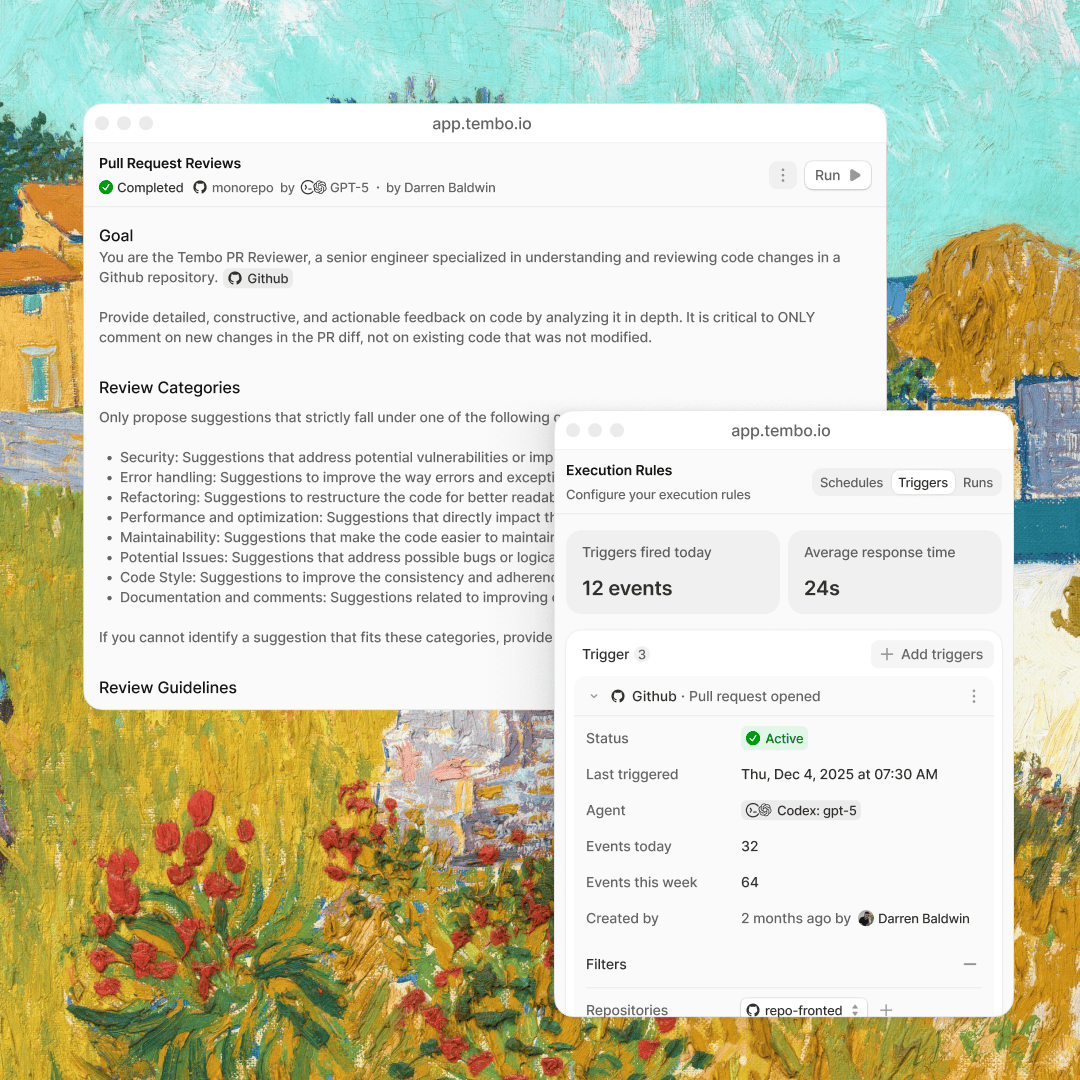
Introduced Triggered Automations, a powerful system that lets your workflows respond to events in real-time. Instead of manually starting every workflow, configure triggers that automatically kick off your automations when specific conditions are met.
- Event-based triggers for real-time automation
- Webhook integration with external services
- Schedule-based triggers for recurring tasks
- Custom condition logic for precise control
- Full visibility into trigger history and execution logs
#Expanded Automations Template Library
Significantly expanded our automations template library to help you get started faster. Each template is production-ready and fully customizable:
- Customer onboarding and engagement
- Sales automation and CRM integration
- Support ticket routing and resolution
- Data transformation and processing
- Reporting and analytics automation
- Team collaboration workflows
#New Pricing
Redesigned pricing to be simpler and more aligned with how you actually use Tembo:
- Usage-based pricing that scales with your business
- No hidden fees or surprise charges
- Volume discounts for high-scale usage
#Model Support
Added support for new AI models in the Cursor CLI:
- GPT-5.2
#UI Improvements
- Added back-to-top scroll button for easier navigation
- Improved dark mode button visibility
- Better task status indicators (hide stop button for queued tasks)
- Enhanced tool labels in logs for better clarity
Also various bug fixes and stability improvements were shipped this week.
Notion, Signed Commits, and Stateful Automations
#Cursor CLI Model Support
Added support for new AI models in the Cursor CLI:
- GPT-5.1
- GPT-5.1 Codex
- Gemini 3
#Ask tembo anything in Pull Requests and Slack
Mention @Tembo in GitHub pull requests and Slack messages to ask questions about code, architecture, or project context.
#Stateful Scheduled Automations
Scheduled automations can now get and set state. This allows automations to:
- Store information between runs
- Track progress across executions
- Build on previous results
#Notion Integration
Added Notion integration. Create tasks from Notion pages and sync documentation with your codebase.
See Notion integration documentation.
#Signed Commits
Commits created by Tembo through the GitHub integration are automatically signed and verified. All Tembo commits display the "Verified" badge in GitHub.
See signed commits documentation.
Also various bug fixes and improvements were shipped this week.
Automations, Multi-Agent, Sandbox, and Public API
We just shipped our biggest release yet - making background coding agents more autonomous, flexible, and secure than ever.
#Automations
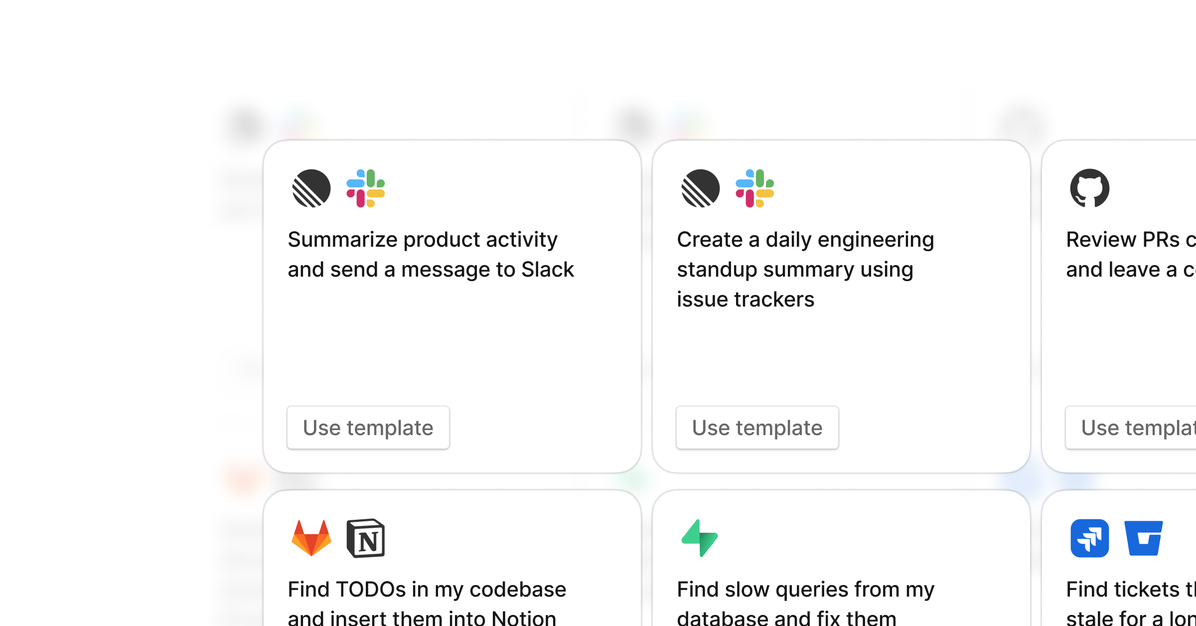
Tembo now fixes issues before you even notice them. Trigger from GitHub, Linear, Sentry, Slack or on a schedule. It'll generate changelogs, clear TODOs, patch vulnerabilities, and clean up tech debt automatically.
#Multi-Agent + Model Support
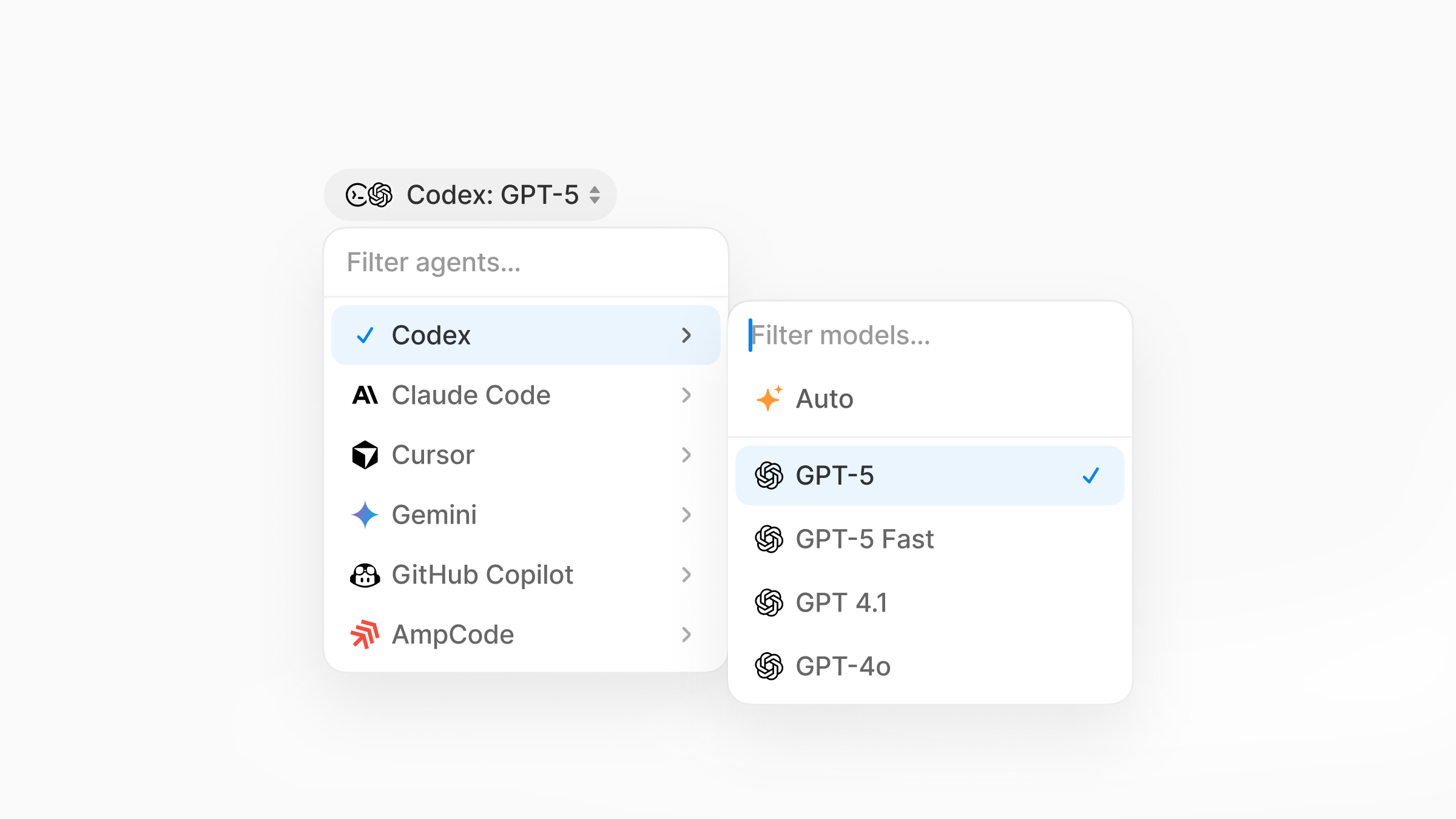
Every team works differently. Now you can choose your preferred agent + model per task or across your org. Claude Code, Codex, Opencode, Amp, Cursor – powered by Anthropic, OpenAI, and more.
#Iterate with @Tembo
Leave feedback anywhere – GitHub, Slack, or Linear. Tembo reads it, updates the code, and opens a fresh PR.
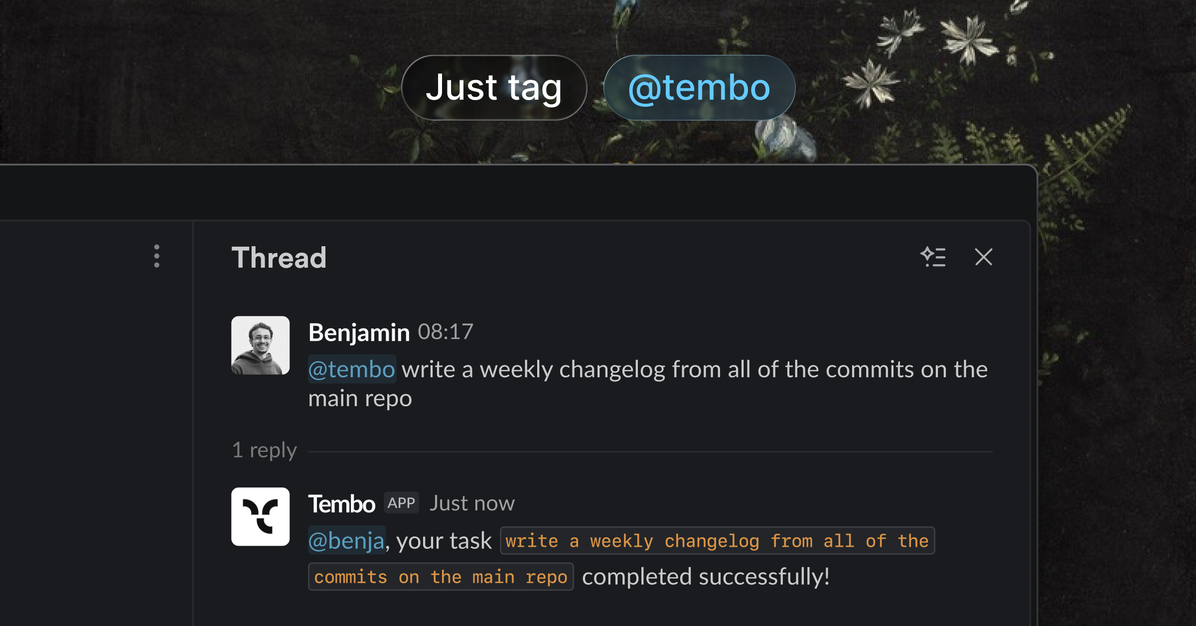
#Sandbox + Nix
Each task runs safely in its own docker VM with Node, Python, Rust, Go, Ruby, and Elixir ready to go. Using Nix? Tembo automatically loads your exact dev shell.
#MCP + Raycast + Billing + API
Extend agents with the model context protocol, manage tasks straight from raycast, use pay-as-you-go credits, and plug Tembo into anything with the new public API.
#Let's build the future of engineering together.
Start here → app.tembo.io or book a demo.
Slack Integration, Multi-Agent, and New Design
Highlights since the last update:
#Slack Integration
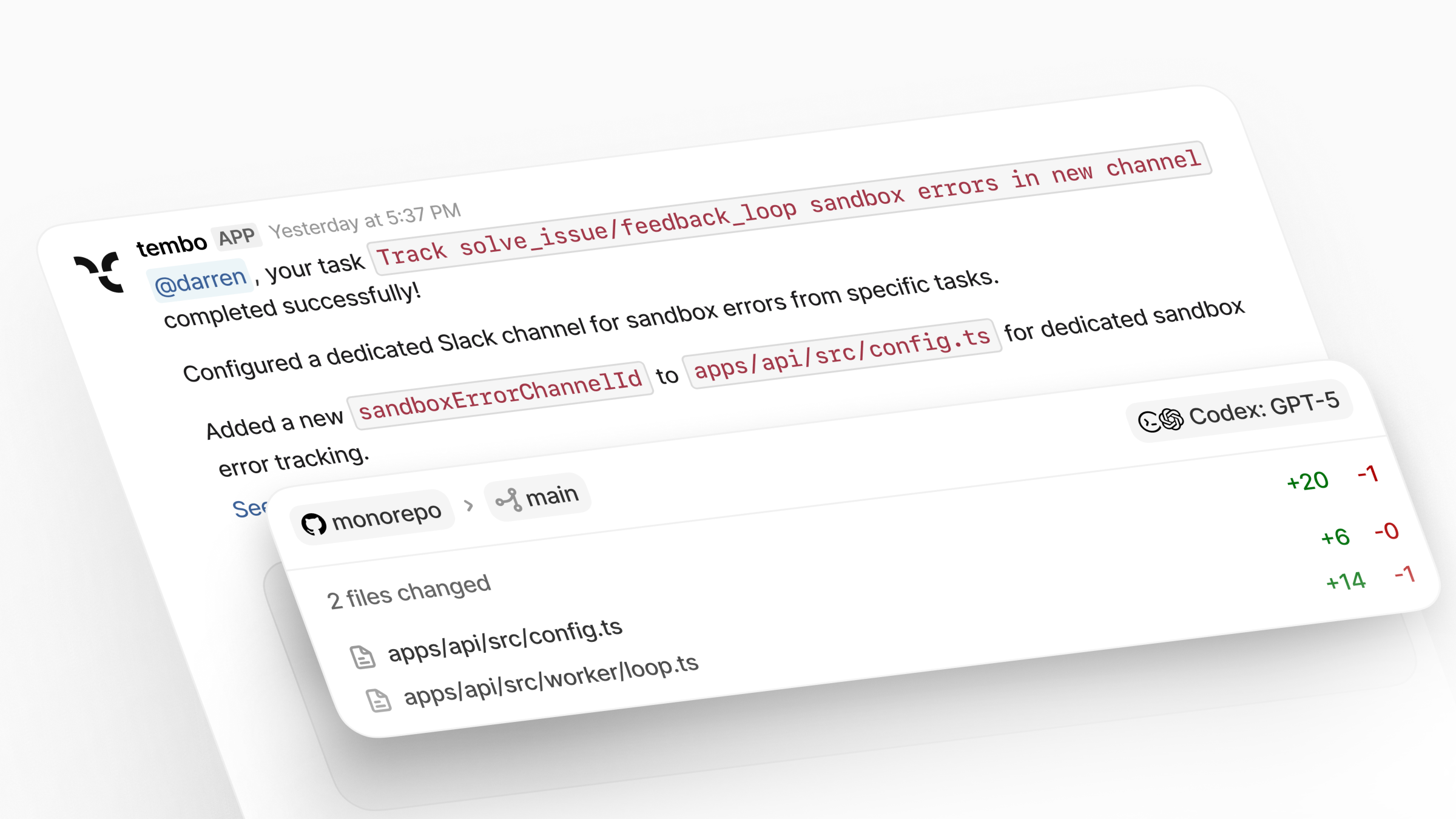
Assign tasks and receive pull requests directly from Slack.
#Multi-Coding Agent Support
Choose your preferred coding agent, including Claude Code, Cursor, and Codex.
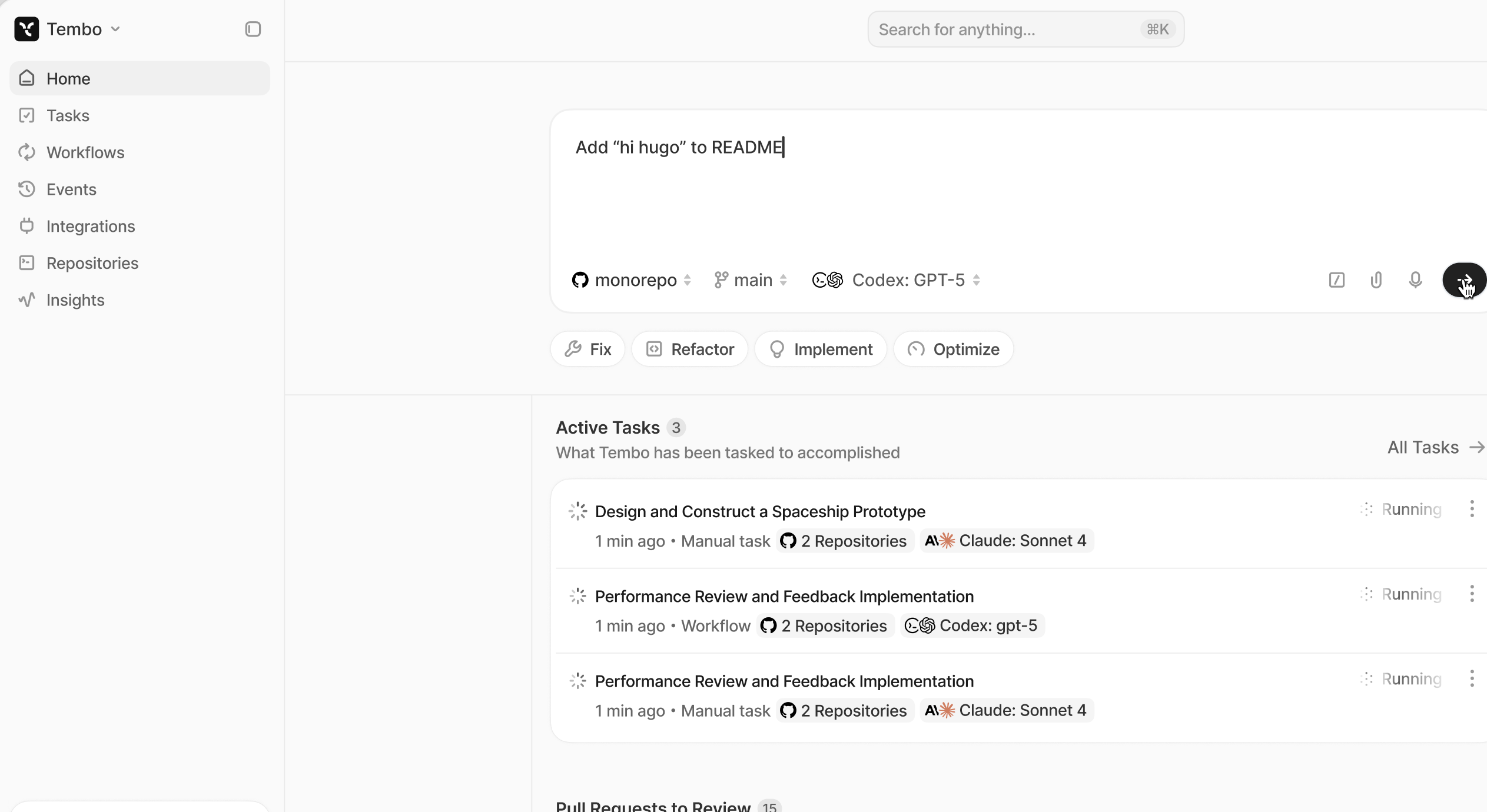
#Updated Design
The refreshed interface improves clarity, performance, and overall polish. Feedback is welcome.
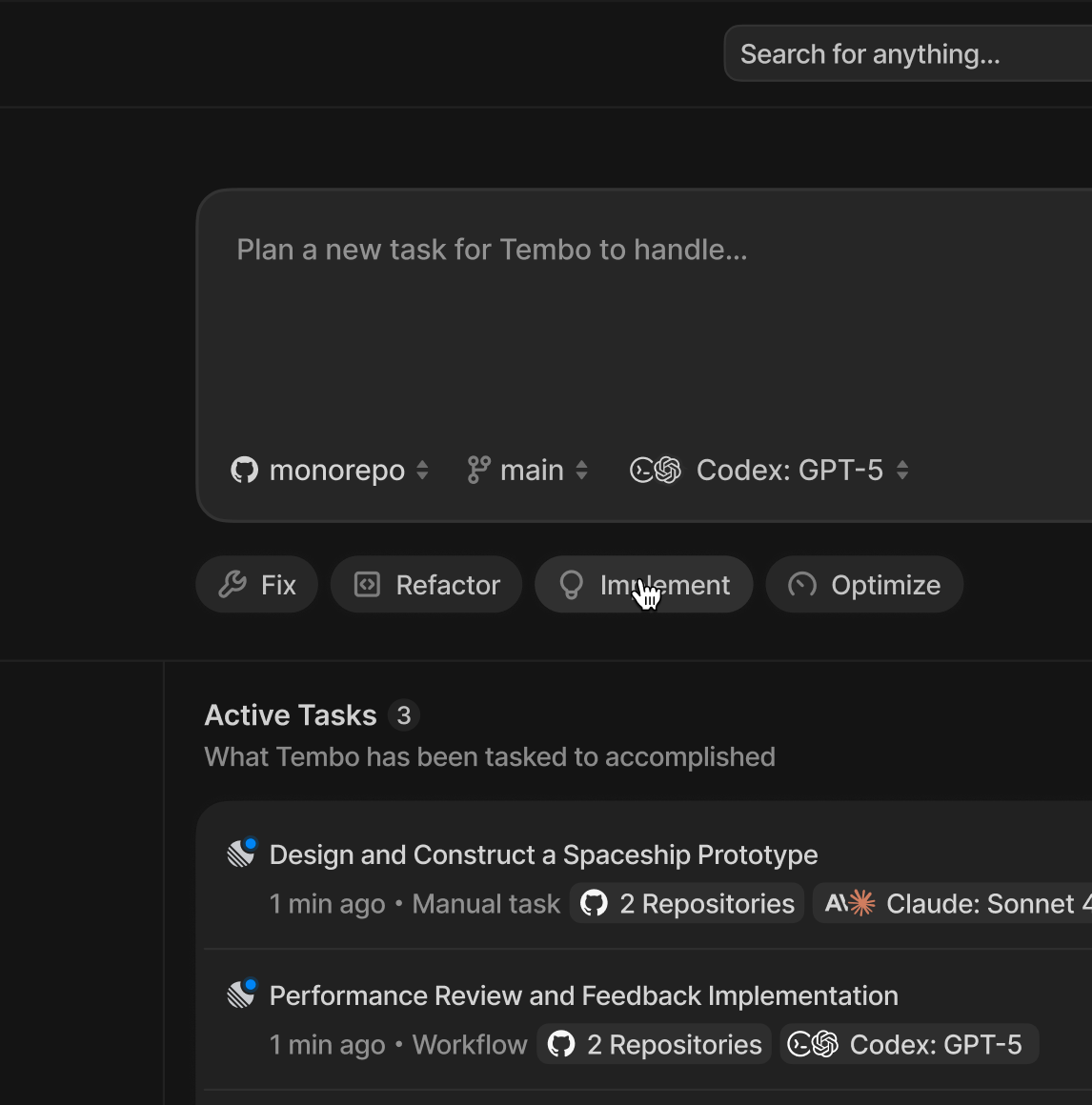
Dark mode preview:
Additional improvements are included in this release. Explore them in the app.
Multi-Agent, Public API, and Dashboard Redesign
#More Coding Agents
Tembo now supports multiple AI coding agents, giving you the flexibility to work with your preferred development environment while leveraging Tembo's autonomous task management capabilities.
#New Coding Agent Integrations
- OpenCode - Full integration with OpenCode using Anthropic models. Support for additional OpenCode providers coming soon.
- Codex - Now supported via API (UI support in progress)
- Claude Code - Enhanced support for the latest Claude models
- Additional Coding Agents - Cursor, Gemini, and Amp coming soon
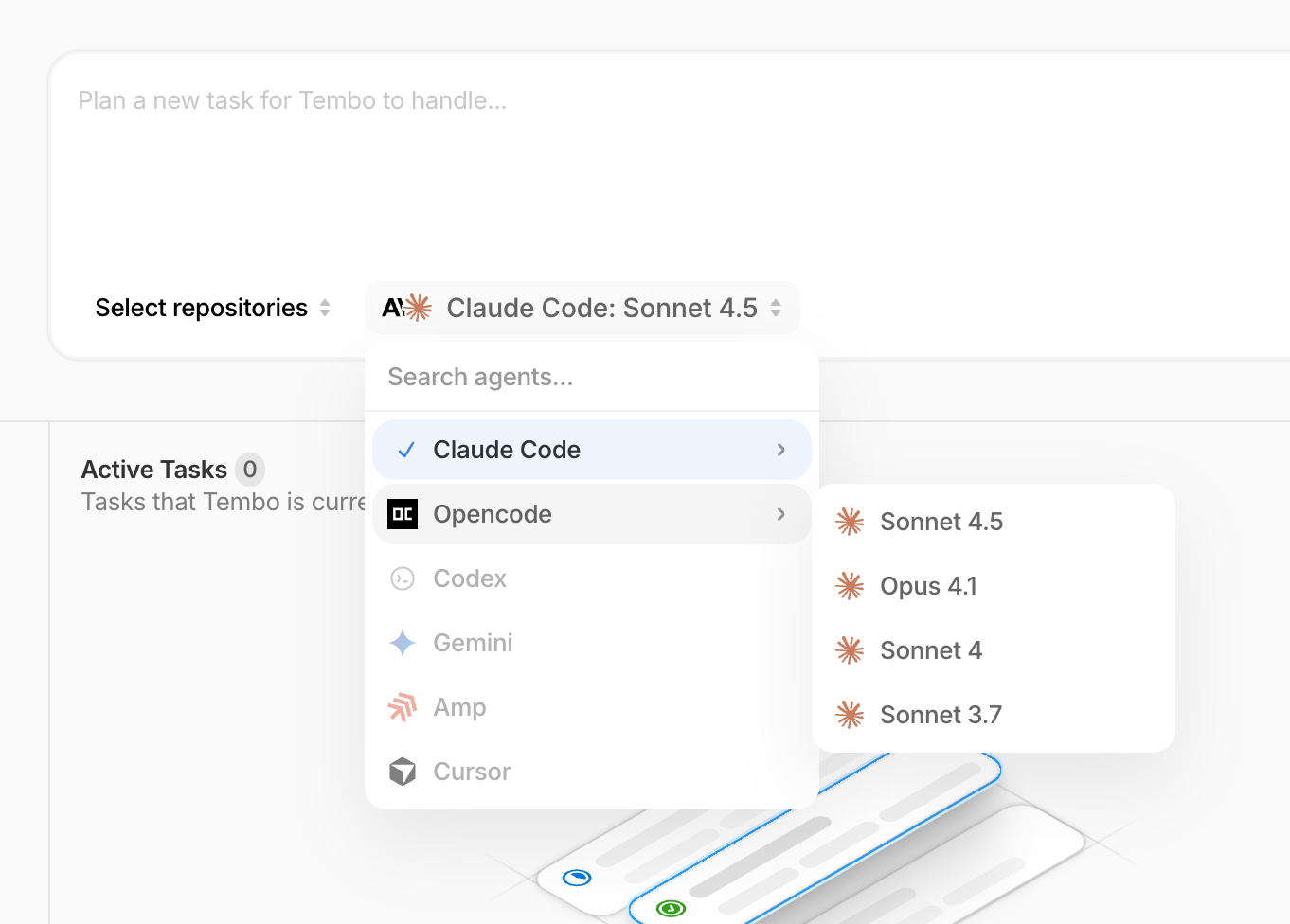
You can view all supported coding agents and their configurations here: Coding Agents.
#Claude 4.5 Sonnet
Added support for the new Claude 4.5 Sonnet model, bringing enhanced code understanding and generation capabilities to all supported coding agents.
#Public API & SDK
Tembo now provides a public API for programmatic task management and automation. You can create tasks, monitor their status, and integrate Tembo into your existing workflows.
- Public API Documentation - Create and manage tasks programmatically
- Tembo SDK - Official SDK for simplified API integration
#Redesigned Dashboard & Settings
We've completely reimagined the Tembo dashboard with a focus on clarity and efficiency:
- Modern Interface - Clean, intuitive design that makes task management effortless
- Enhanced Settings Pages - Streamlined configuration with better organization and improved discoverability
- Improved Navigation - Faster access to the features you use most
- Better Visual Hierarchy - Clearer presentation of task status, coding agent activity, and system state
#Performance & Stability
#GitHub Feedback Loop
The feedback cycle for GitHub pull requests and comments is now significantly faster. Tembo responds more quickly to code reviews, comments, and status changes, reducing wait times and accelerating your development workflow.
#Comment Tagging System
Introduced required tagging when leaving comments on pull requests. This prevents Tembo from responding to:
- Internal team discussions
- Comments directed at other team members
- Messages intended for other bot integrations
Simply tag @Tembo when you want Tembo to take action, ensuring cleaner communication and more precise automation.
Image Support, File Mentions, and Branch Cleanup
#Image Support
Tembo's sandboxes now support images - works with all the major coding agents and allows them to read images but also push them to your repos. Images inside of Linear are also detected and downloaded to the sandboxes automatically. Learn more about our sandbox environment.
#File Mentions & Smart References
Introduced @mention functionality for referencing files, integrations, and documents directly in task descriptions and comments.
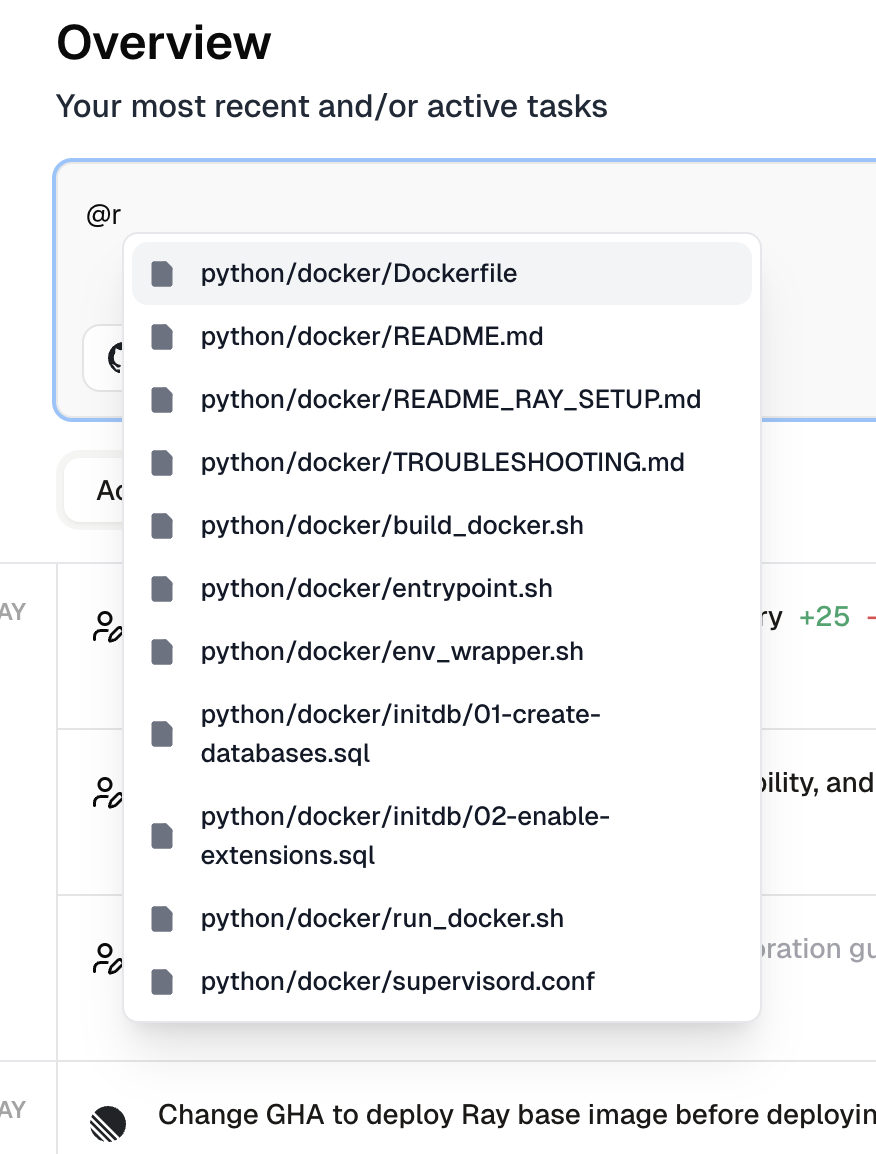
Features include:
- @mention support for integrations (GitHub, Linear, Sentry)
- File and document reference system
- Smart autocomplete
- Visual indicators for different mention types
- Context awareness in conversations
#Branch Deletion Setting
Added a new setting to control automatic branch deletion when pull requests are closed or merged.

When enabled, Tembo will automatically delete the branch after its pull request is closed or merged. This helps keep your repository clean by removing feature branches that are no longer needed.
#Pull Request Settings
Support for Gemini code assist as a review bot.

BitBucket, GitLab, and Enhanced Linear
#BitBucket Integration
Full BitBucket support is now live! Connect your BitBucket workspaces and let Tembo create pull requests directly in your repositories.
Key features include:
- Automatic workspace and repository discovery
- Draft PR support with automatic branch cleanup
- Service user setup for cleaner PR attribution
- Support for multiple workspaces and repository selection
#GitLab Integration
GitLab integration is officially here! Tembo can now scan your GitLab repositories and open merge requests for improvements.
Features include:
- Repository scanning for TODO comments, security issues, and technical debt
- Automatic merge request creation
- Selective repository activation
- Full OAuth integration with GitLab
#Enhanced Linear Integration
Improved Linear workflow with better status tracking and repository management.
- Enhanced issue assignment workflow
- Improved repository label management with automatic GitHub repository detection
- Streamlined integration setup process
#UI & Performance Improvements
- Enhanced workspace filtering and pagination for better issue and PR management
- Improved task log loading with skeleton states
- Various performance optimizations across the dashboard
- Better error handling and user feedback
Jira Integration, New UI, and Task Logs
#Jira Integration
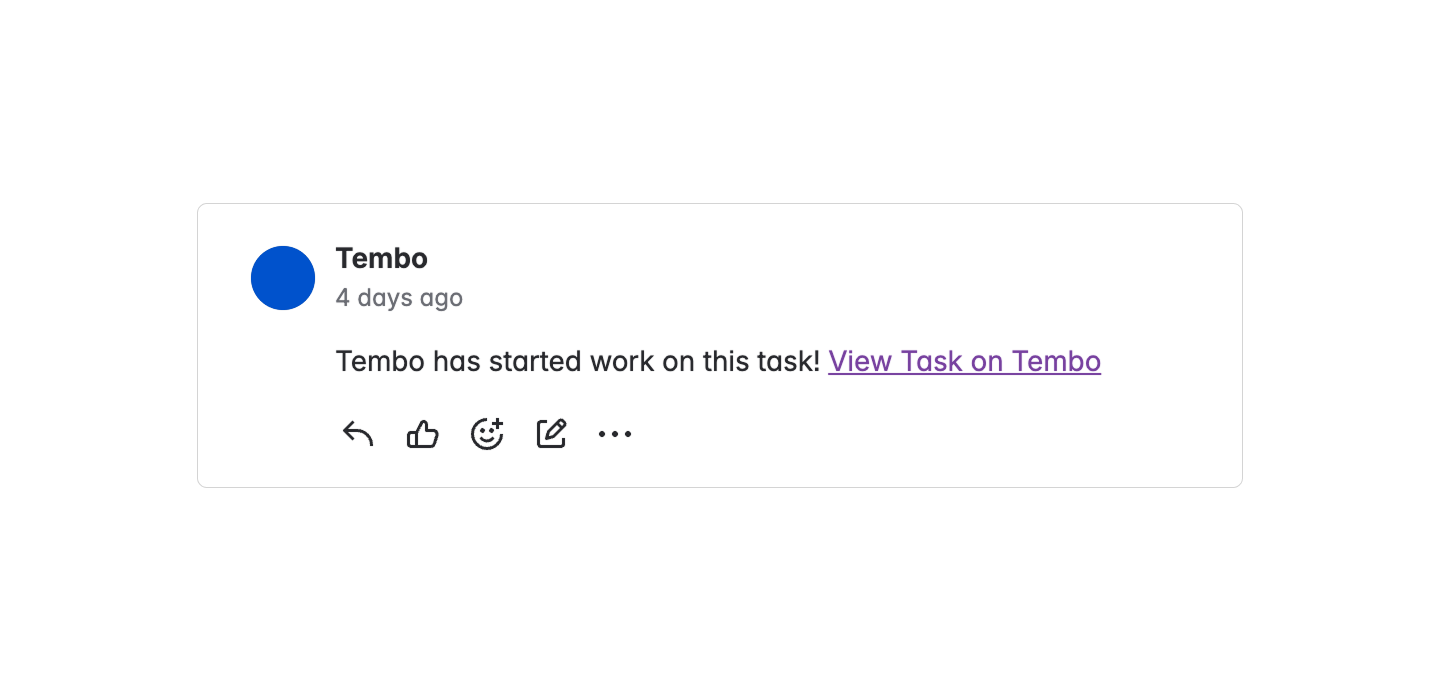
You can now assign Tembo to Jira issues, just like with Linear.
This was one of our most requested features by larger teams, and it's finally live!
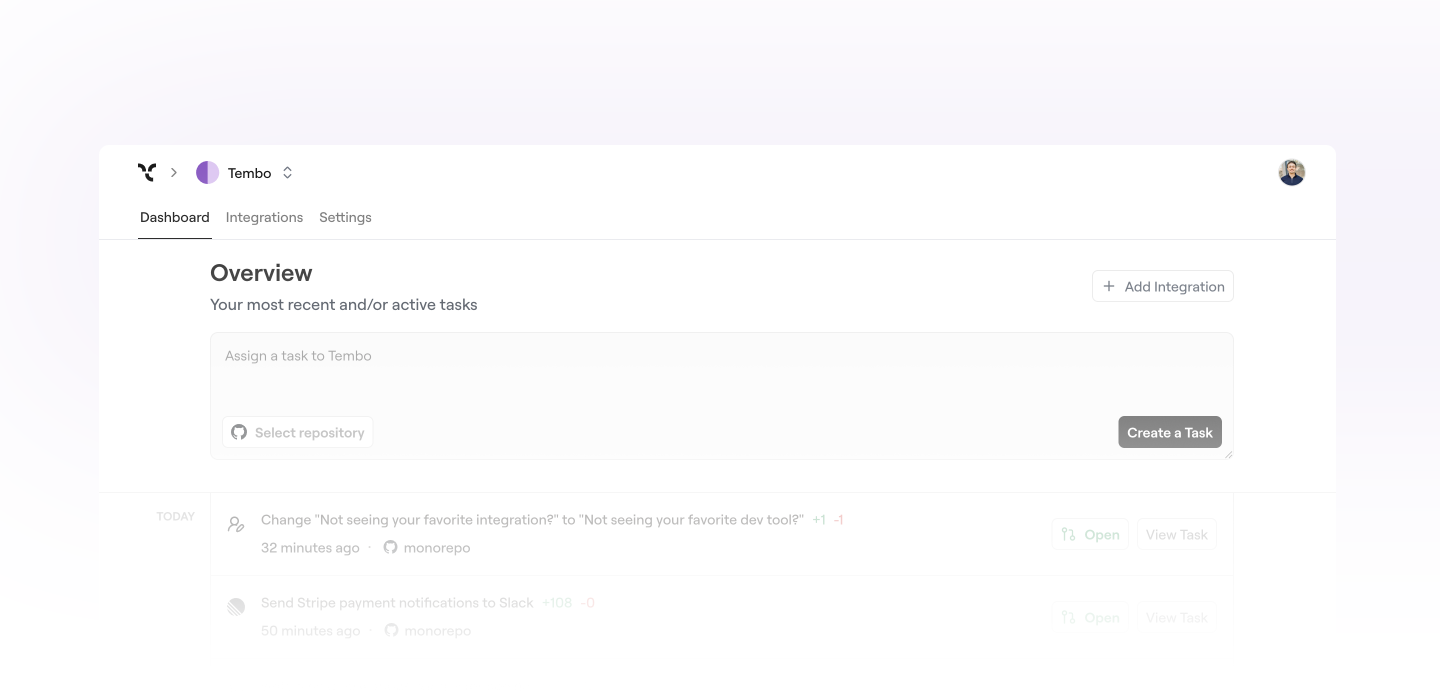
#Revamped UI
The dashboard got a full redesign. It's now much faster and way cleaner.
We're also actively redesigning all app flows. You'll start seeing those changes roll out soon :)
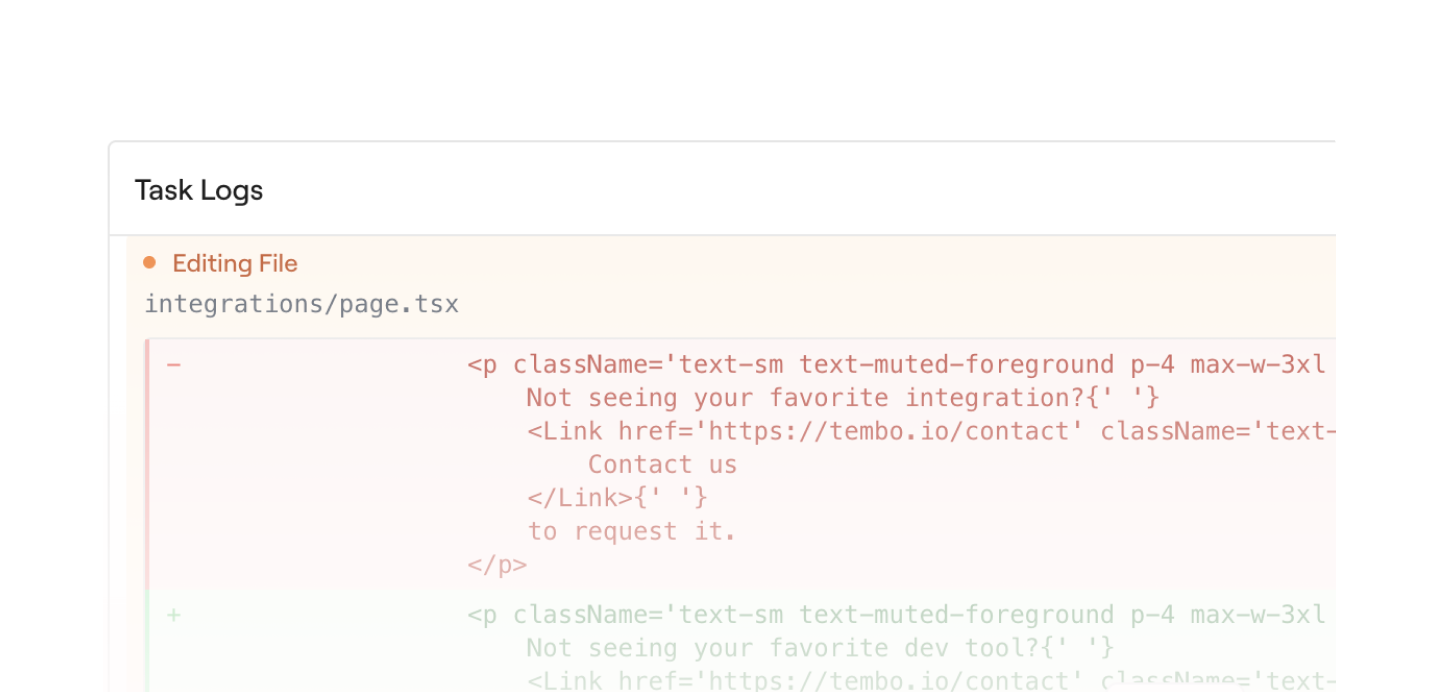
#Historical Task Logs
You can now view logs directly on the task page.
The new format makes it way easier to understand what actually happened.
#Credit Burn Bug + Fixes
We fixed a bug where the GitHub scanner was burning credits in the background.
Also shipped a bunch of smaller polish and fixes across the app.
Sentry Auto-Fix, Custom Tasks, and Rule Files
#Auto-fix for Sentry errors
Tembo now opens a pull request as soon as a Sentry error is detected, no delay between error and fix.
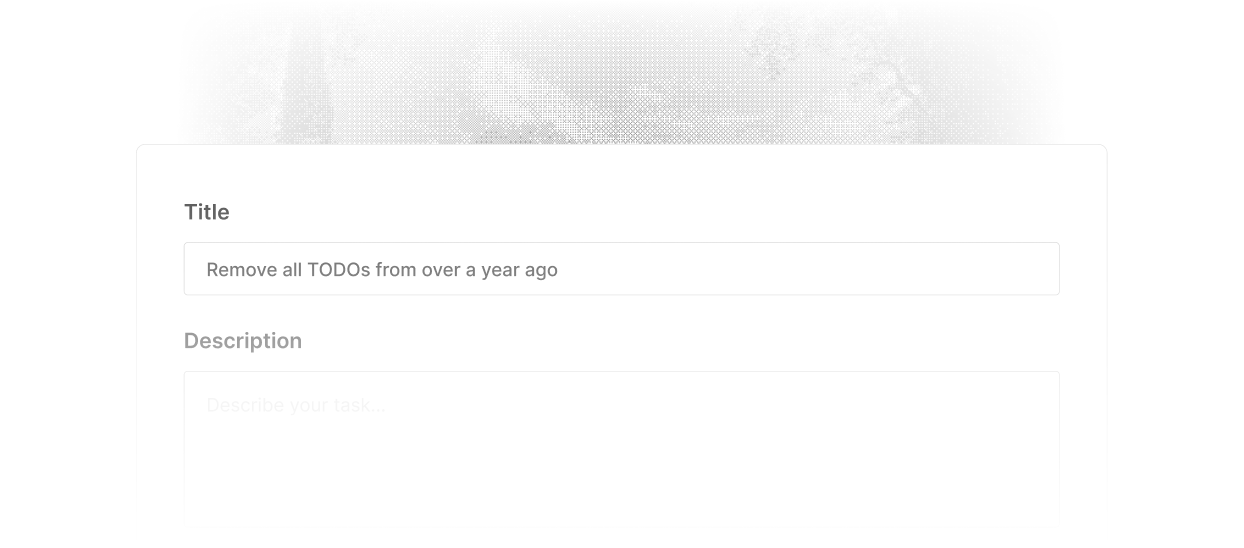
#Custom tasks
You can now create tasks directly in Tembo without relying on external tools like Jira or Linear. Just describe the task in plain English and Tembo will take it from there.
#Rule file support
Tembo now reads rule files to better understand your project's structure and conventions. Supported files include:
tembo.mdCLAUDE.md.cursorrules.windsurfrules.clinerules.github/copilot-instructions.md
Task Prioritization and Failed Workflow Auto-Fix
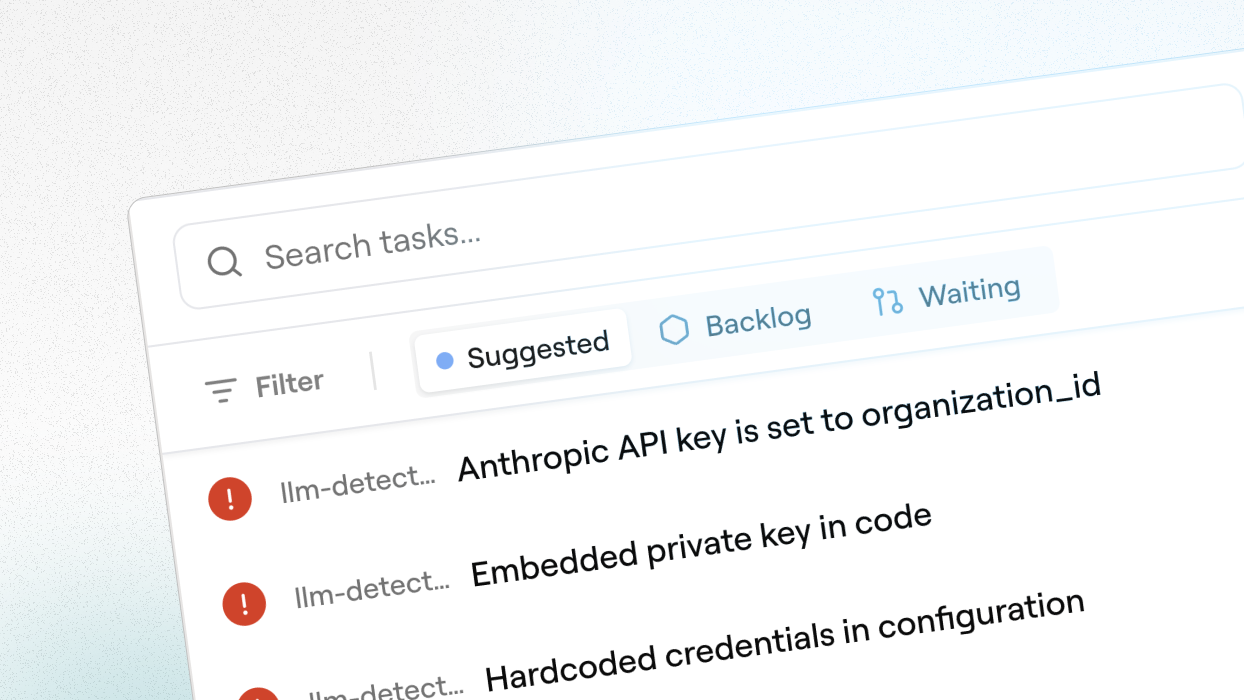
#Task Prioritization
Write a quick prompt about what you're trying to achieve and Tembo will rank your open tasks by impact. It learns from titles, labels, commit history and surfaces what's worth tackling first.
#Failed Workflows Auto-Fix

Tembo now reacts to failed workflows. Broken tests, failed lints – it finds the issue and pushes a fix. No more chasing red pipelines.
#Improvements
A bunch of bug fixes and polish across the board.
#What's Next?
What integration should we build next? Email us at support@Tembo.ai and we'll get back to you.
PR Feedback Loop and Model Selection
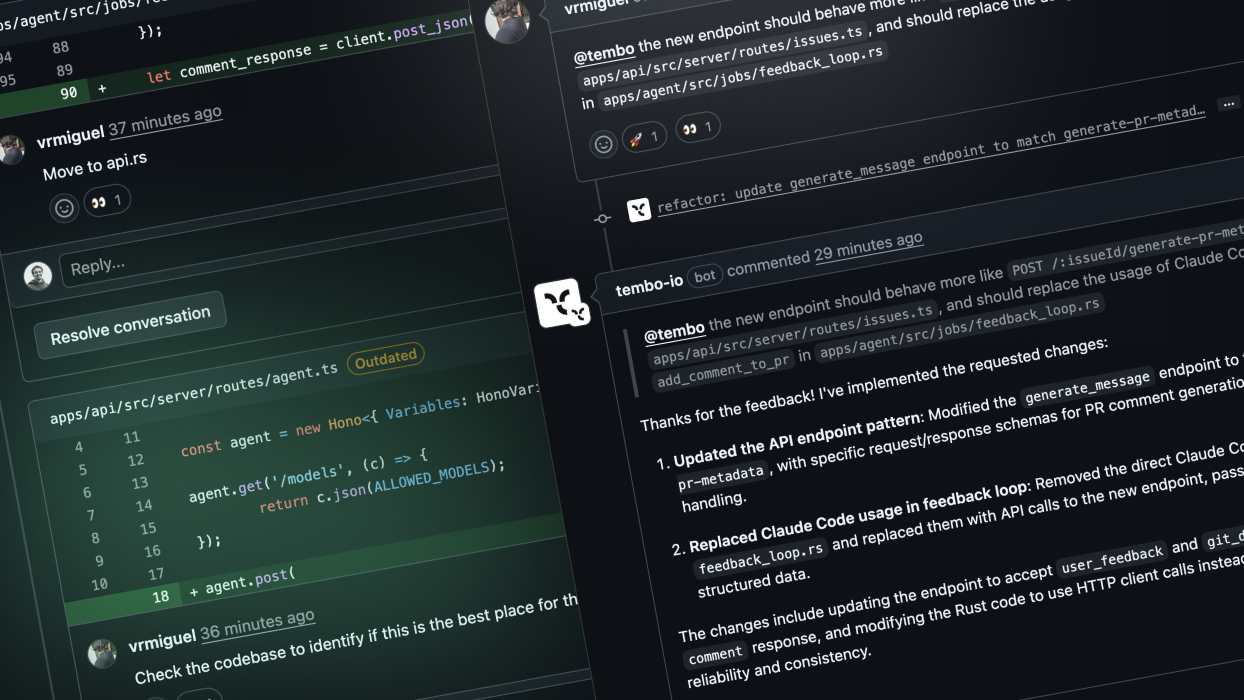
#Feedback Loop in PRs
This one's huge. Leave a review or single comments. Tembo will now respond to all of them in one go. Way less back and forth, way faster iteration.
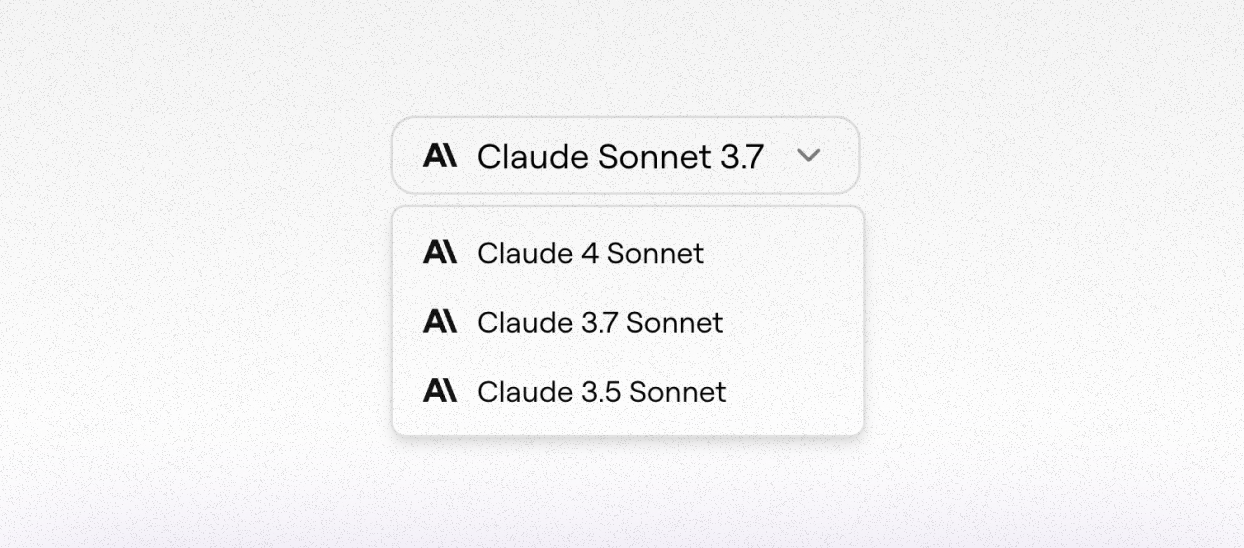
#Model Selection
You can now choose which model Tembo uses, currently supports Claude 3.5 and 3.7. Want Sonnet 4? Just bring your own API key in settings. More models coming soon.
#Coming Next Week
Task prioritization: Tembo will start finding the highest-impact tasks on its own. Set your goals. Tembo gets to work.
Linear Support and New Onboarding
If your first try with Tembo wasn't smooth, now's the perfect time to come back. We've made big stability improvements. Everything feels a lot snappier.
#Linear Support is Live
You can now assign Tembo to issues by adding a label or assigning the bot directly. Just install the Linear integration, and that's it.

#Onboarding Got a Glow-Up
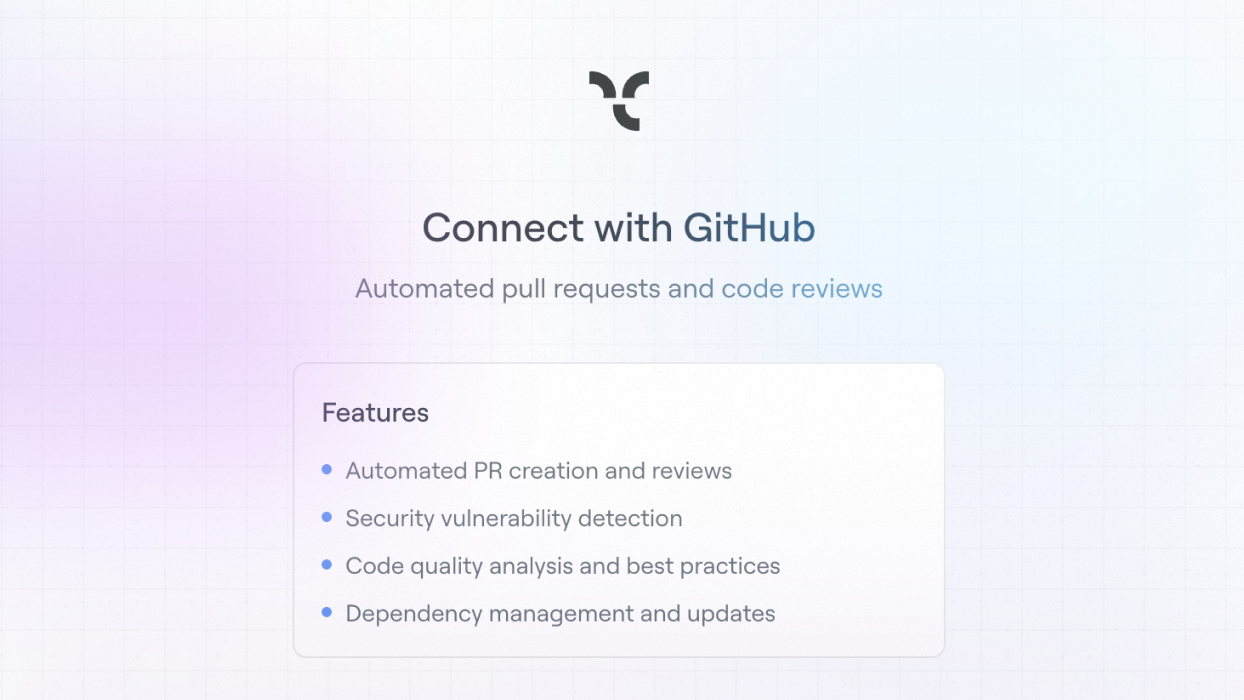
Just connect GitHub. Tembo guides you through the rest. And if you come back later, we'll bring you right back in.