Tembo public API, SDK, and MCP: Build your own software factory
Build Tembo into your own workflows. Start agent sessions, manage repositories, and inspect results with the API, TypeScript SDK, and MCP server.

Your software factory starts with a way to give agents work, track their progress, and review what they produce.
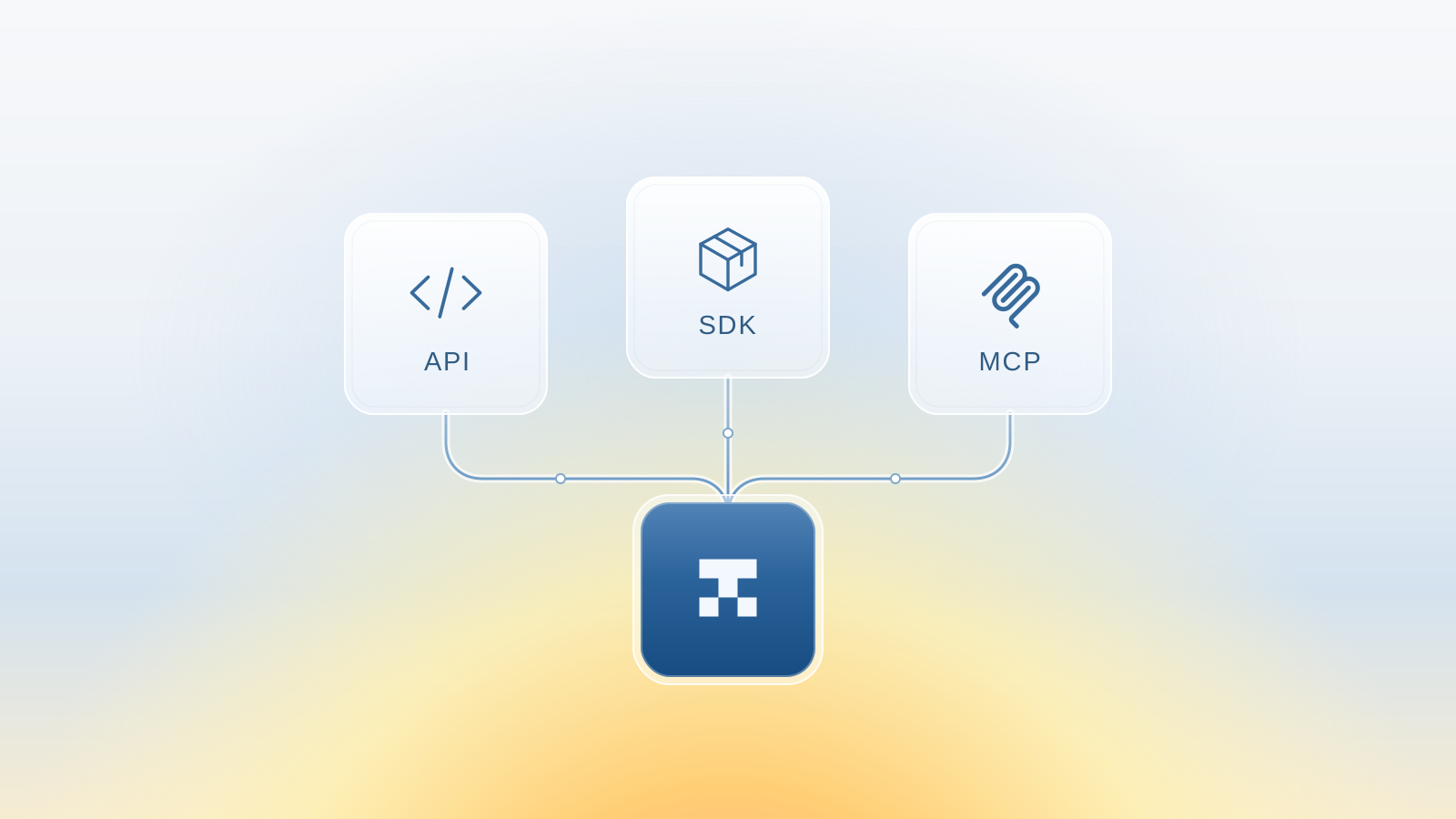
Today we're introducing the Tembo API, TypeScript SDK, and MCP server: three ways to build Tembo into the tools and workflows you already use.
Start a session from a script. Add a "Fix with Tembo" button to an internal tool. Let an agent in your editor hand off a task to Tembo. You choose where the work starts, and Tembo gives you a session you can follow, inspect, and steer.
Three ways in
- API: Call Tembo over HTTP from any language or service.
- TypeScript SDK: Work with a typed client in your JavaScript or TypeScript application.
- MCP: Give an MCP-compatible assistant access to Tembo tools.
Use the API or SDK when your application owns the workflow. Use MCP when another agent needs to interact with Tembo.
The API and SDK: turn an event into a task
The API and TypeScript SDK let you create sessions, manage agents, list connected repositories, and retrieve session events, files, and diffs. Call the API directly over HTTP, or use the SDK for typed methods and request parameters.
To get started, create an API key in Settings > API Keys in the Tembo dashboard. Set it as TEMBO_API_KEY in your server environment. Keep it out of browser code and source control. Then list your connected repositories:
curl https://api.tembo.io/v1/repositories \
  -H "Authorization: Bearer $TEMBO_API_KEY"
Pick a repository ID from that response and use it to create a session. Replace YOUR_REPOSITORY_ID with the actual ID:
curl https://api.tembo.io/v1/sessions \
  -X POST \
  -H "Authorization: Bearer $TEMBO_API_KEY" \
  -H "Content-Type: application/json" \
  -d '{
    "description": "Investigate the failing login tests, fix the root cause, and run the relevant tests. Summarize the changes for review.",
    "codeRepositoryIds": ["YOUR_REPOSITORY_ID"],
    "visibility": "private"
  }'
Prefer TypeScript or JavaScript? Install the SDK to make the same request without writing the HTTP plumbing:
npm install @tembo-io/sdk
The client reads TEMBO_API_KEY from your environment. Use the same repository ID in this server-side example:
import Tembo from "@tembo-io/sdk";

const client = new Tembo();

const session = await client.sessions.create({
  description:
    "Investigate the failing login tests, fix the root cause, and run the relevant tests. Summarize the changes for review.",
  codeRepositoryIds: ["YOUR_REPOSITORY_ID"],
  visibility: "private",
});

console.log(session.id);
Either way, an event comes in, your code supplies the context, and Tembo gets a concrete task. Save the returned session ID so your application can retrieve the session and inspect its output later. Use this in a backend service, a scheduled job, or the handler behind an internal dashboard.
The API reference covers authentication, request schemas, and available operations. The SDK reference and examples cover client options and error handling. Self-hosted deployments use the same API operations and schemas with their own base URL.
MCP: let your agent work with Tembo
Sometimes the caller isn't your application. It's another agent.
The Tembo MCP server exposes the full public API as tools an MCP-compatible client can discover and call. Anything you can do through the public API, you can do through MCP. Instead of switching out of your current conversation to create a task manually, you can ask your assistant to work with Tembo directly.
For example:
List my connected Tembo repositories, then start a private session on the website repo to investigate the broken signup flow. Include the reproduction steps from this conversation.
The hosted MCP endpoint is:
https://mcp.tembo.io/mcp
Follow the MCP setup instructions for authentication and your client's configuration. Use your client's secret storage where available, and review its tool permissions before allowing it to create or change resources.
This is the other direction from adding an MCP integration inside Tembo: it lets an external assistant use Tembo as a tool.
Build the workflow you want
A few places to start:
- Failed CI runs: Send the failure output and repository context to a new session for investigation.
- Support escalations: Turn a report and its reproduction steps into a task without copying everything into another interface.
- Internal developer tools: Add a button that starts a session, then use the API to show its status and results alongside the original request.
- Make your own Tembo: Don't like the Tembo UI? Build your own! Tembo's public API is the same API our web and desktop apps are built on, so you can create an interface that works the way you want.
- Agent handoffs: Let an assistant delegate a task to Tembo while you continue the conversation.
These are workflows you can build, not new systems you have to adopt. Your code decides when to start a session and what context to include. Your team decides what to do with the result.
Start with one task and one repository. Learn more in our API docs.
Run any coding agent in the cloud
Tembo agents execute tasks in secure cloud environments and return reviewable output. Use any agent or model, run in parallel, and keep humans in control.