

Bring every pull request into Tembo
Connect GitHub, GitLab, and Bitbucket. Review pull requests from every provider and repository in one consistent workspace.
Tembo Review is where your team understands, discusses, and changes pull requests across every Git provider. Want an agent to review every new pull request automatically? See how automated code review works.
Connect GitHub, GitLab, and Bitbucket. Review pull requests from every provider and repository in one consistent workspace.
Ask clarifying questions about the code, the pull request, or a peer comment. Tembo answers with the full change and codebase in context.
Send Tembo into a secure development environment to make the change, run the checks, and push the result directly to the pull request branch.
Connect GitHub, GitLab, and Bitbucket, then review every pull request in one workspace.
Bring every provider together. Review GitHub, GitLab, and Bitbucket pull requests from one consistent workspace.
See what needs you. Move between open, draft, approved, and recently merged changes without rebuilding your queue.
Keep repositories consistent. Use the same filters and review workflow across every repository your team owns.

#9758fix(github): allow tagged bot comments
+82-5 tembo/apitembo/allow-tagged-bots
#10095Use the read replica for reader endpoints
+67-22 tembo/cloudusage-history-reader
#667docs(sandbox): document environment variables
+83-2 tembo/docstembo/document-sandbox-env
#10056feat(snapshots): add configuration variables
+759-17tembo/webtembo/configuration-env#10015Fix metadata on sessions created by the chat agent
+150-101tembo/monorepovini/tem-8009-chat-agentBring every provider together. Review GitHub, GitLab, and Bitbucket pull requests from one consistent workspace.
See what needs you. Move between open, draft, approved, and recently merged changes without rebuilding your queue.
Keep repositories consistent. Use the same filters and review workflow across every repository your team owns.
Select code, open a peer comment, or ask about the change as a whole. Tembo answers with the pull request and surrounding codebase in context.
Ask about selected code. Highlight the lines you want to understand and ask why they changed or how they behave.
Clarify peer feedback. Ask what a teammate meant and how their comment relates to the rest of the pull request.
Trace the wider impact. Follow a change across related files and the surrounding codebase without losing context.
 Ask Tembo
// auth.ts
export async function validateSession(token: string) {
const session = await getSession(token);
if (!session) {
throw new Error("Session not found");
}
if (session.expiresAt < Date.now()) {
await revokeSession(token);
throw new Error("Session expired");
}
return {
userId:
Ask about selected code. Highlight the lines you want to understand and ask why they changed or how they behave.
Clarify peer feedback. Ask what a teammate meant and how their comment relates to the rest of the pull request.
Trace the wider impact. Follow a change across related files and the surrounding codebase without losing context.
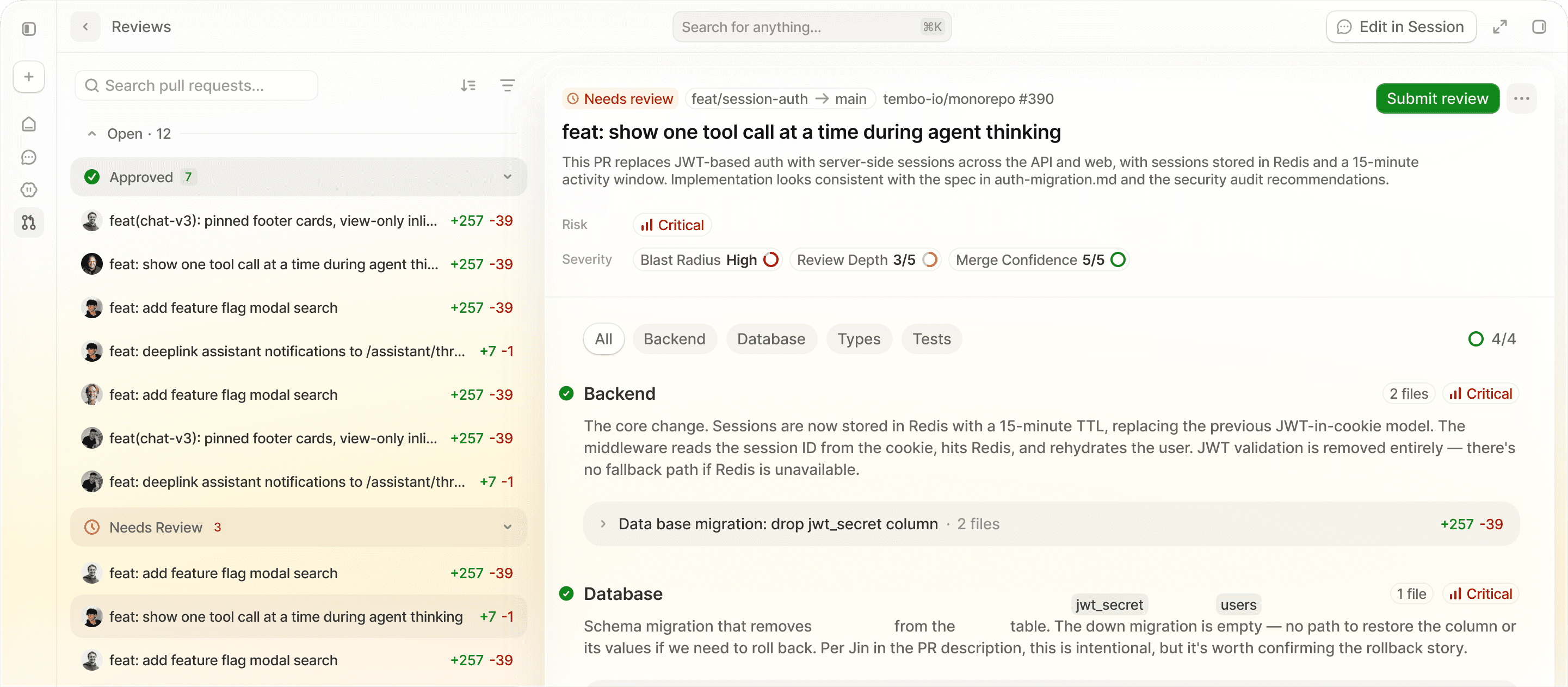
Traditional pull request tools hand you a list of files and leave you to reconstruct how the change fits together. Tour Mode groups related files into focused sections, explains what changed, and surfaces risk, review depth, and merge confidence. Open a section to review every related file together without losing the thread.
Tembo edits the pull request branch, runs your checks, and pushes a reviewable commit. Review state, discussion, and the final decision stay visible to your team throughout.

Tembo checks out the real branch in an isolated development environment with the repository and its dependencies available.

Tests, linting, type checks, and builds run before the work comes back to your team for another look.

The finished change is committed and pushed directly to the existing pull request branch, ready for continued review.
Keep discussions beside the exact change.
Track review state, viewed files, checks, and approvals at a glance.
Nothing merges until a person makes the call.