
Review Your Coding Agent's Changes Before the PR
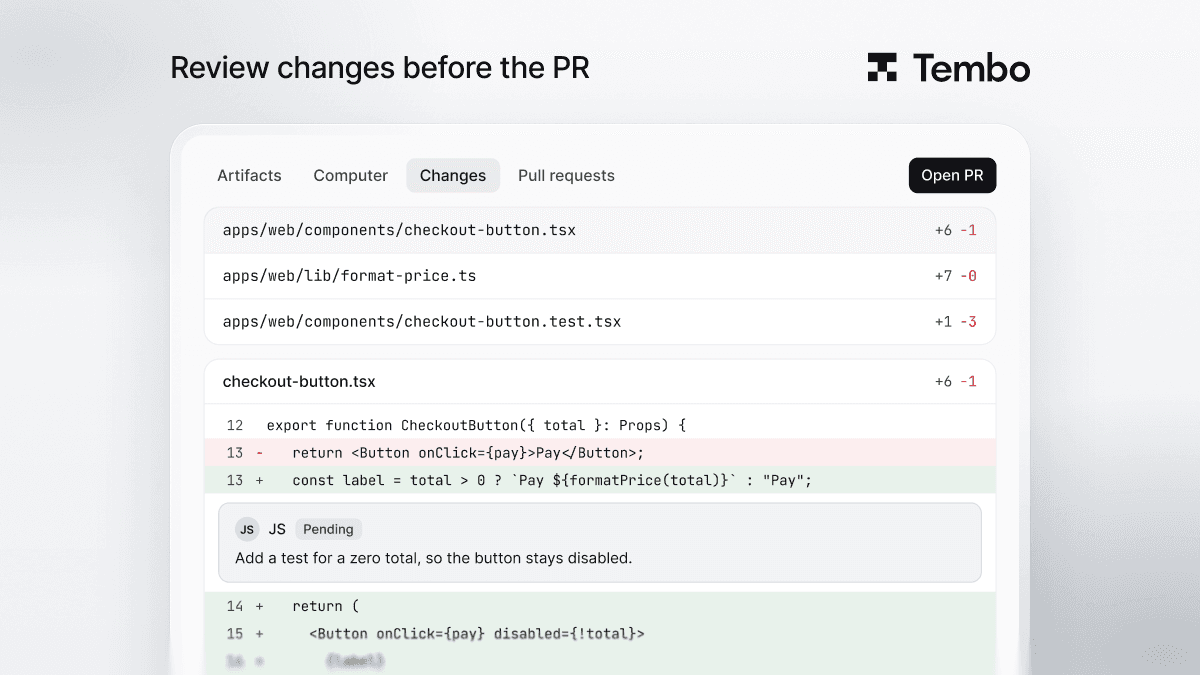
Tembo's Changes tab shows what your coding agent changed before a pull request exists. Comment on lines, send a review to the agent, then open the PR.

In Tembo, you can review what a coding agent changed before any pull request exists. When you start a session from the Dashboard, Tembo shows the diff in the session's Changes tab and waits. You read it, leave comments on the lines you want changed, send them to the agent as one review, and click Open PR when it looks right.
It's the loop you have with code on your own machine, with the agent running in the cloud.
Why review before the PR?
A pull request is a signal to your team that something is ready to look at. If the first version an agent produces goes straight into the review queue, your teammates review the rough draft, CI runs on every small fix, and the PR history fills up with back and forth that only you needed.
Reviewing in the session keeps that loop between you and the agent. By the time a PR exists, it's the version you'd put your name on.
What does the Changes tab show?
The Changes tab shows every file the session changed, with a diff for each one:
- A file list you can switch between a tree and a flat list, and filter.
- A diff per file, including rendered diffs for Markdown and previews for image changes.
- Viewed checkboxes, so you can tick off files as you go and collapse the ones you've read.
If the session touched more than one repository, you see the changes for each, and you open a PR per repository.
How do I ask the agent for changes?
Comment on the code, the way you would in a code review:
- Select a line or a range in the diff and write a comment.
- Click Start a review to hold it, and keep going. Each new comment is added with Add review comment.
- When you're done, click Send to chat. Tembo sends all your comments, with the code they point at, to the session as one message, and the agent works through them.
For a quick question about a piece of code, use Ask Tembo to bring the question and the selected code straight into the session chat. Discard all clears a review you no longer need.
The agent updates the code in the same session, and the Changes tab shows the new diff.
When does the pull request get opened?
When you click Open PR, or when you ask the agent to open one. Tembo then opens the PR with a description of the problem and the solution, links back to the session, and your PR template if the repository has one.
Sessions started outside the Dashboard, for example from a Linear ticket, a Slack message or a schedule, open a PR automatically when they finish. You can still iterate after that by mentioning Tembo on the pull request.
To look at the running app rather than the code, open the session's desktop in Tembo Computer and click through it in the browser.
FAQ
Can I see an AI coding agent's changes before it opens a pull request? Yes. In Tembo, sessions started from the Dashboard show their diff in the Changes tab and wait for you to click Open PR.
How do I give the agent feedback on specific lines? Comment on lines in the Changes tab, collect them with Start a review, then click Send to chat. The agent gets all your comments with the code they refer to.
Does every session wait for me before opening a PR? No. Dashboard sessions wait. Sessions started from other places, such as a ticket, a message or a schedule, open a PR automatically when they're done.
Can I keep iterating after the PR is open? Yes. Mention Tembo on the pull request to ask for changes.
Try it
Start a session from the Tembo Dashboard and open the Changes tab when the agent finishes. The pull requests docs cover how PRs are created.
Run any coding agent in the cloud
Tembo agents execute tasks in secure cloud environments and return reviewable output. Use any agent or model, run in parallel, and keep humans in control.


