
Session Folders, Custom Roles, and Voice Dictation
#Organize sessions into folders
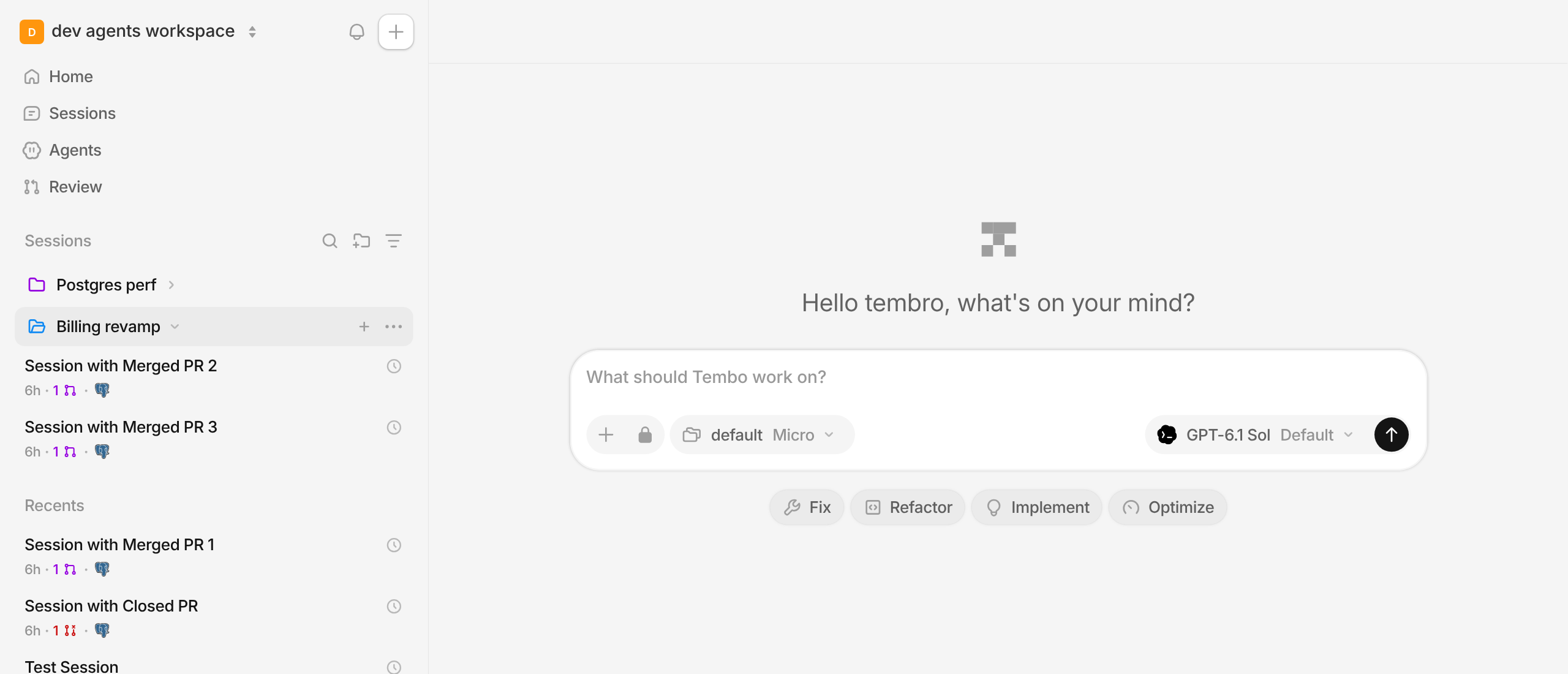
Group related sessions into folders right in the sidebar. Create one with the new folder button next to Sessions, pick a color, and drag sessions in or use Move to folder from a session's menu. Folders sit alongside your pins, can be reordered and renamed inline, and you can start a new session straight inside one. Forking a session files the fork in the same folder, and your folders show up in the mobile app too.
#Custom roles and permissions
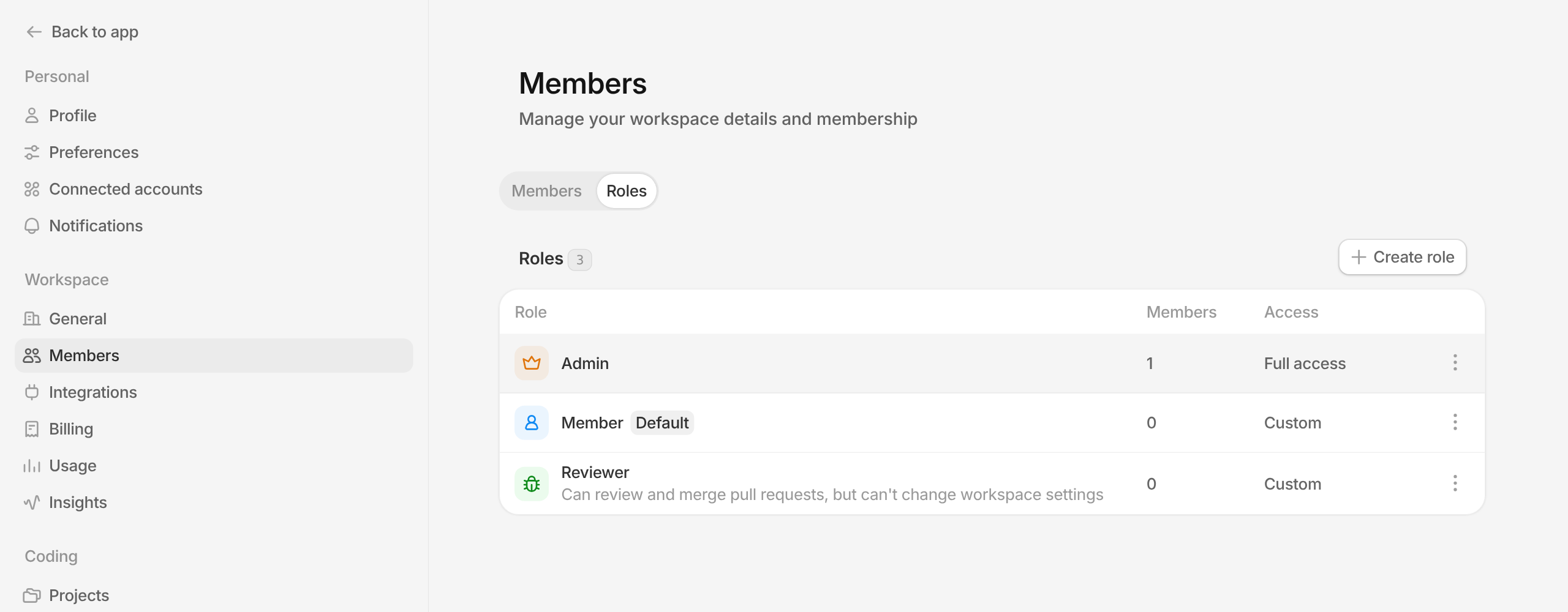
Admins can now create their own roles from Settings > Members > Roles. Choose exactly what each role can view or edit across sessions, pull requests, agents, integrations, billing, and more, give it an icon and color, and make any role the default for new members and invitations. Tembo hides or disables the actions a member's role doesn't allow, so everyone only sees what they can actually do.
#Talk to Tembo with voice dictation
When the message box is empty, the send button becomes a microphone. Click it or press Cmd/Ctrl+D and start talking: your words stream into the composer in real time, with a live waveform while you speak. Finish with the checkmark, or press Esc to throw it away. Dictation also works while Tembo is mid-turn and in the mobile app.
#Import chats from Codex, Claude Code, and Devin
The Tembo desktop app can now import your existing conversations from Codex, Claude Code, and Devin, alongside Conductor. Open Settings > Import, pick a source, and continue those chats as Tembo sessions.
#Start, stop, and restart VMs from the composer
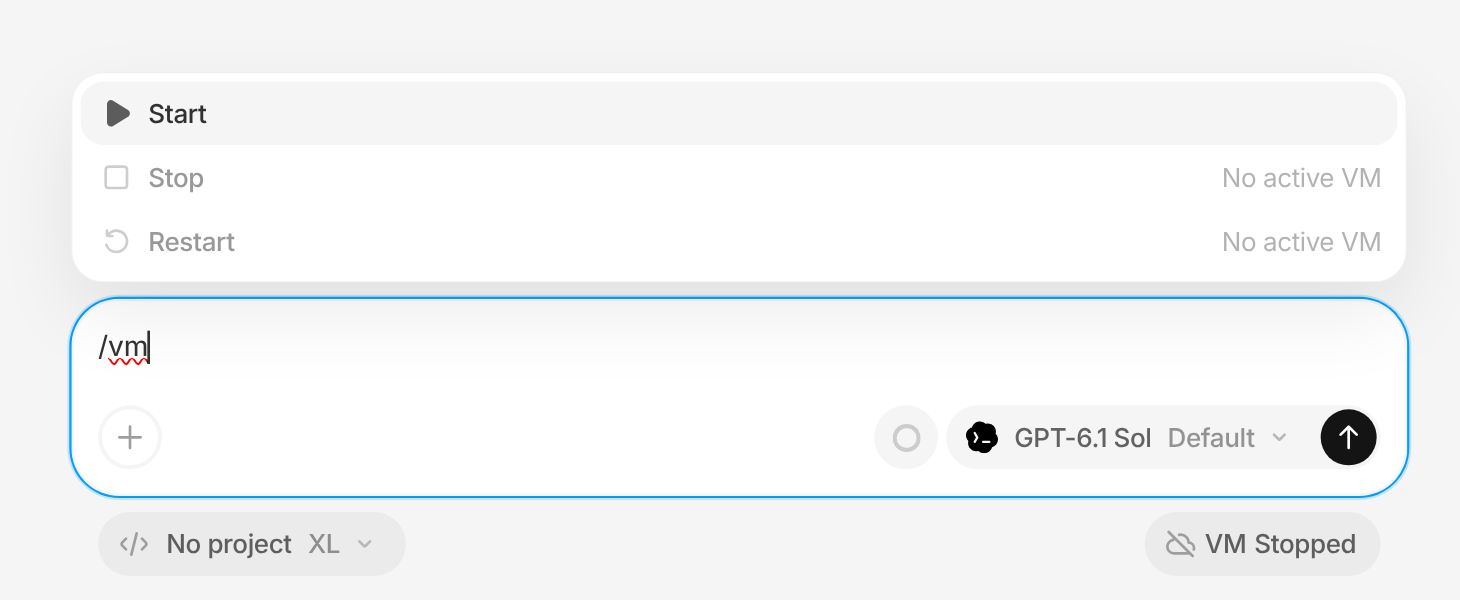
Type /vm in a session to start, stop, or restart its sandbox VM without leaving the conversation. Actions that don't apply right now are greyed out with the reason.
#More ways to work faster
- Claude Fable 5.2 is now available in the model picker.
- Insights now shows the average inference cost per pull request, for the whole workspace and for each member.
- New GitLab trigger: start an agent when a merge request is marked ready for review.
- Accepted feedback from review bots now steers the agent's current turn instead of waiting for it to finish.
- Press
Tabwhile Tembo is running to queue your message instead of sending it right away. - Notifications now arrive only on the device you're using, and clear everywhere once you've read them.
- Images in pull request descriptions and comments open in a full preview dialog in Review.
- Workspaces on a trial can now buy credit packs, and Stripe Checkout collects your tax ID.
- incident.io is now one of the suggested MCP servers in Settings > Integrations.
- Running sessions show an animated spinner in the sidebar and desktop tabs, so you can see at a glance what's still working.
- The Tembo desktop app has a right-click menu for copying images, links, and text.
- Self-hosted Tembo now runs on Google Cloud, in addition to AWS.
Also various bug fixes and improvements as always :)