
Slack Integration V2, Cmd+K Actions, and Faster Reviews
#Slack Integration V2
Tembo now has a much more capable Slack chat experience. You can work with an agent from a Slack thread to create or update tasks, check progress, and take follow-up actions without bouncing back into the app. It can also help you list, create, update, and delete automations directly from chat, so it's much faster to spin up a workflow or tweak an existing one.
#New Slack reaction trigger for automations
Slack automations can now start when someone adds a specific emoji reaction to a message. You can also filter by emoji, channel, and user, which makes lightweight triage, approval, and follow-up workflows much easier to set up.
#Top models on the Insights page
Insights now shows your top models by token usage, so it's easier to see which models your team is relying on most over time.
#New Cmd+K actions menu
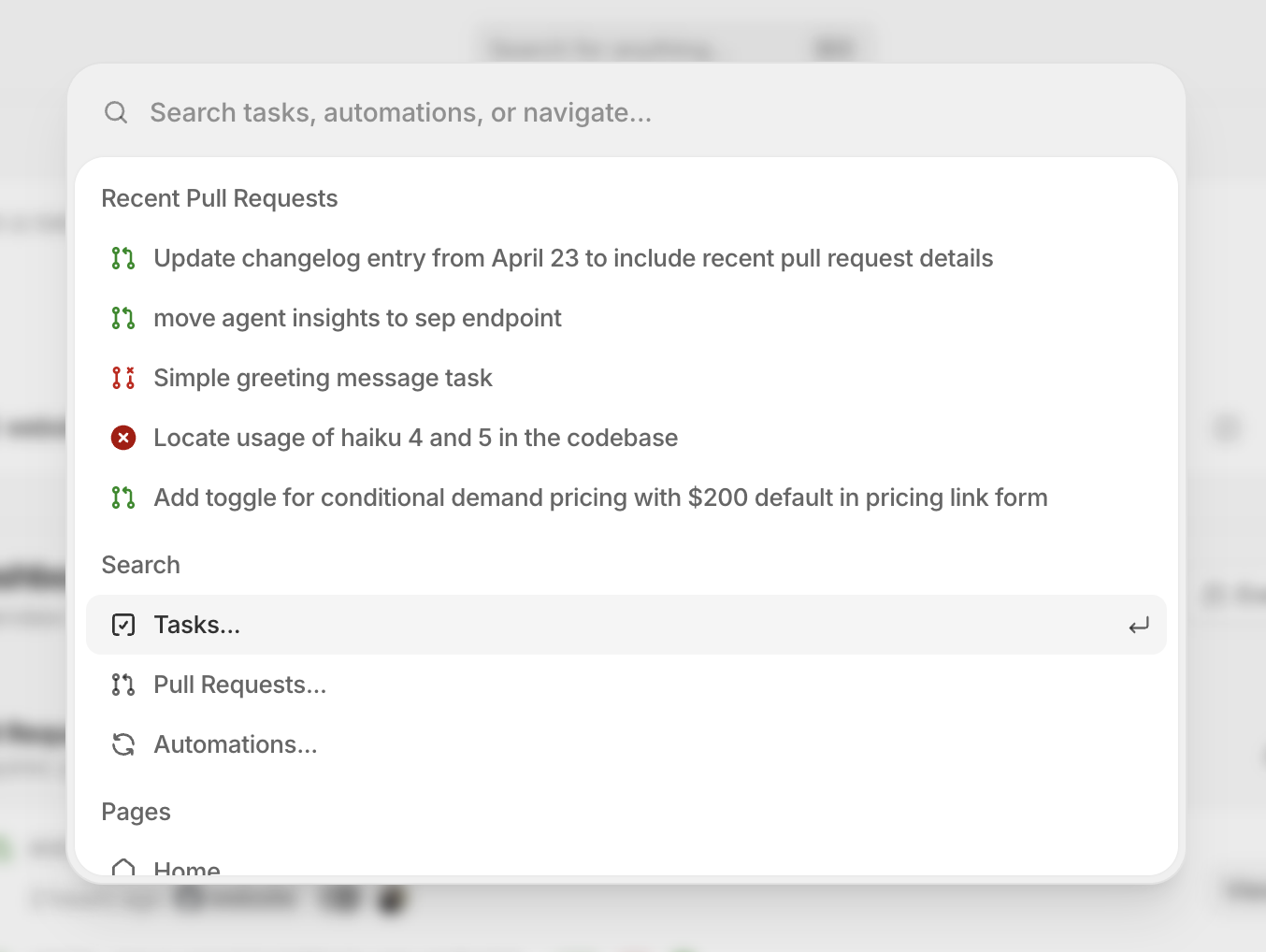
There's also a much more capable Cmd+K menu that makes it easy to take actions in Tembo without leaving your keyboard. You can jump between pages, trigger task and automation actions, and move through common workflows much faster.
#Better multi-repo task control
Task setup is smoother when work spans more than one repository. Tembo now has clearer multi-repo controls in task flows, and agent-driven task updates can target multiple repositories at once.
#Faster pull request review inside Tembo
Reviewing work inside Tembo is faster now too. Larger diffs are easier to expand, task lists can be filtered by pull request status, failing checks are more visible, and pull request cards surface check details more clearly.
Also various bug fixes and improvements as always :)